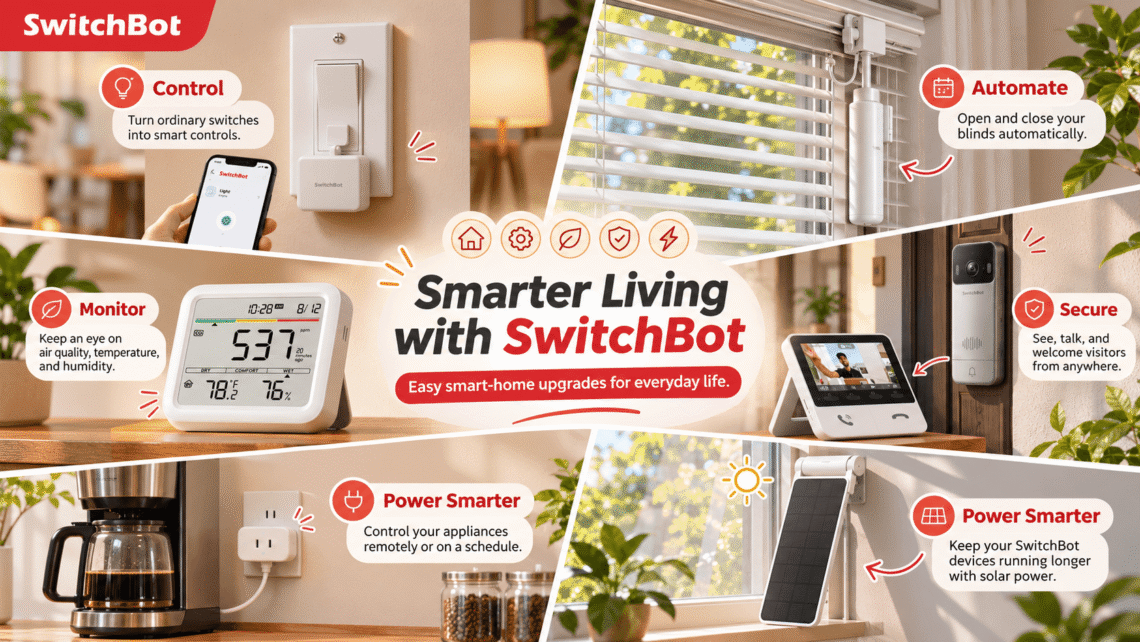
The Short Version: If you’ve ever wanted to make your home smarter without rewiring it, replacing it, or mortgaging it, there’s a good reason SwitchBot keeps showing up in your search results. This is the story behind the brand, and six of its most interesting products right now.
Why a Brand Like SwitchBot Exists at All
Smart-home marketing has, for years, sounded like a ransom note. Tear out your old switches. Rip out your light fixtures. Buy a whole new kitchen. Sign up for a monthly subscription, and welcome to the future.
SwitchBot was born from the opposite instinct. The original idea, back in the mid-2010s, was wonderfully small and human: a guy in Shenzhen wanted to flip the light switch off without getting out of bed. Rather than invent a brand-new light bulb, a brand-new switch, or a brand-new house, he built a tiny robot finger that sticks onto the existing switch and presses it for him. That device became the SwitchBot Bot, launched on Kickstarter in late 2016, and it funded successfully with hundreds of backers who immediately recognized the same problem.
The company behind the brand, Woan Technology, was registered in 2015 by two engineers from Harbin Institute of Technology. By 2022, SwitchBot counted more than 1.5 million users worldwide. Today it positions itself as a home robotics company — but its core philosophy has never changed:
- Don’t replace what already works. Add to it.
- No wiring, no drilling, no renovation. Stick it on, clamp it around, or plug it in.
- Start with one gadget, grow the ecosystem gradually. A SwitchBot hub is optional for many devices, which is genuinely rare in this category.
That philosophy matters because most smart-home brands sell you a system. SwitchBot sells you a series of small upgrades, each useful on its own, each better once you decide to connect them.
💬 A speech bubble from the SwitchBot design team: “We don’t make your house smarter. We make your house’s existing switches, blinds, plugs, and doors act like they’re smarter.”
The Origin Story Nobody Tells: From Bedside Laziness to a Product Line
It’s worth pausing on the founding story, because it explains why the product lineup looks the way it does.
SwitchBot didn’t start as a “smart home company.” It started as a frustration. Getting out of bed to turn off the light. Wearing yourself out adjusting the blinds at noon. Wondering whether you left the coffee maker on. These are not catastrophes — they’re the small, repeating annoyances that eat your attention over years.
The engineers behind the brand had spent nearly a decade in the smart-home industry before starting their own company. They’d seen the industry’s bias toward replacement: new switches, new bulbs, new locks, new thermostats, usually requiring an electrician, usually requiring a proprietary hub, usually requiring commitment to one platform. So they asked a different question:
What if the smartest device in your home was just a small robot that rode on top of the device you already own?
This is why the first product was literally called a “fingerbot.” It’s why the second major product, the SwitchBot Curtain (introduced around 2019), clipped onto an existing curtain rod instead of replacing the curtain. It’s why the Blind Tilt works with existing blinds. It’s why the Smart Plug Mini needs no hub at all. Retrofit is not a feature for SwitchBot — it is the brand.
The company’s timeline reads like a slow, deliberate build-out:
- 2015 — Woan Technology founded in Shenzhen.
- 2016 — SwitchBot Bot (the original finger-pushing robot) launches on Kickstarter and finds immediate product-market fit.
- 2019 — Hub Mini arrives, finally connecting the Bluetooth-powered gadgets to Wi-Fi and voice assistants.
- 2019–2020 — SwitchBot Curtain launches, later updated to Curtain 3, and becomes a breakout hit especially in Japan through crowdfunding.
- 2020 onward — The line expands toward air quality, security (doorbells and locks), energy monitoring, and solar power.
Today the brand’s official framing is “AI-enabled embodied home robotics” — which sounds grand. But underneath, it’s still the same idea: small, physical, retrofit-friendly robots doing the boring physical tasks around your house so you don’t have to.
How to Think About the SwitchBot Ecosystem (Without Getting Overwhelmed)
If you’re new to the brand, one concept unlocks almost everything it sells:
Most SwitchBot devices work standalone over Bluetooth. A Hub (usually Hub Mini or Hub 2) is what turns them into a full remote, voice, and automations system.
That single fact explains a lot of product descriptions you’ll see:
| Device | Works alone? | Needs a hub for what? |
|---|---|---|
| Button Pusher (Fingerbot) | Yes — app + timer via Bluetooth | Voice control, remote access away from home |
| Blind Tilt | Yes — app + light sensor | Alexa / Google Home voice control |
| CO2 Detector | Yes — read live values locally | Logging, alerts, remote viewing |
| 2K Doorbell Camera | Yes — includes its own monitor | Full video storage options |
| Smart Plug Mini | Yes — no hub at all, Wi-Fi built in | Nothing required |
| Curtain 3 (referenced via its Solar Panel) | Yes — app + timer | Voice control, automations |
This tiered design is the opposite of “subscribe and commit.” You can buy one gadget this month, add a hub next year, and it all still works.
Product 1 — SwitchBot Smart Switch Button Pusher (Bluetooth): The Robot Finger That Started It All
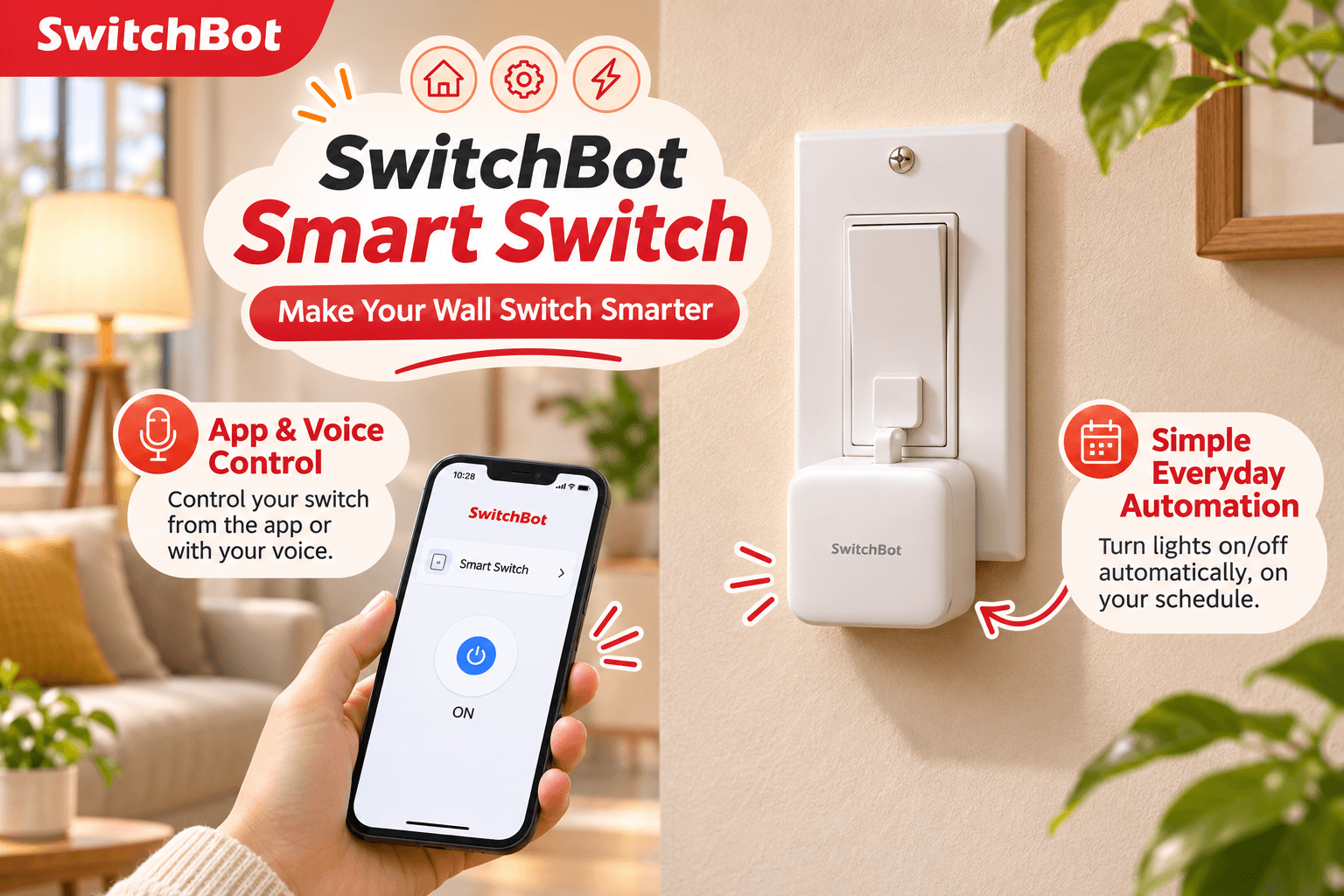
If there’s one product that explains the brand, it’s this one. The SwitchBot Smart Switch Button Pusher is a small, white, battery-powered robot that sticks onto a rocker switch or push button and physically presses it for you.
What it actually does:
- Sticks on with included adhesive (and a reusable adhesive pad), no wiring, no electrician.
- Pressed either by a tap in the SwitchBot app or by a timer schedule you set.
- Works on rocker light switches, coffee-machine buttons, garage remotes behind glass, intercoms, and hundreds of other small buttons people forget about.
- Runs on Bluetooth directly from your phone — perfect for home use.
- Add an optional SwitchBot Hub Mini (or Hub 2) and suddenly you get: Alexa voice control, Google Home, remote control from your office, and “tap this button when I leave home” automations.
The use cases that surprise people the most:
- A child’s room light that mom and dad now schedule remotely after bedtime stories.
- A coffee maker that turns on at 7:00 AM so the kitchen smells ready by the time you walk downstairs.
- A garage door remote taped inside a cupboard, now pressable from your phone when you’re carrying groceries.
- Old “dumb” buttons in rental apartments where drilling or rewiring isn’t allowed.
This is the product that proves SwitchBot’s thesis in one gadget. You didn’t need a new switch, a new bulb, or a new house. You needed a finger.
Product 2 — SwitchBot Blind Tilt: Your Existing Blinds, Solar-Powered and Light-Sensitive
Vertical blinds and horizontal venetian blinds are, in most homes, set-and-forget devices. Set them in the morning, come home to find the afternoon sun has cooked your laptop screen. SwitchBot Blind Tilt attacks that exact problem — again, without replacing your blinds.
Key features:
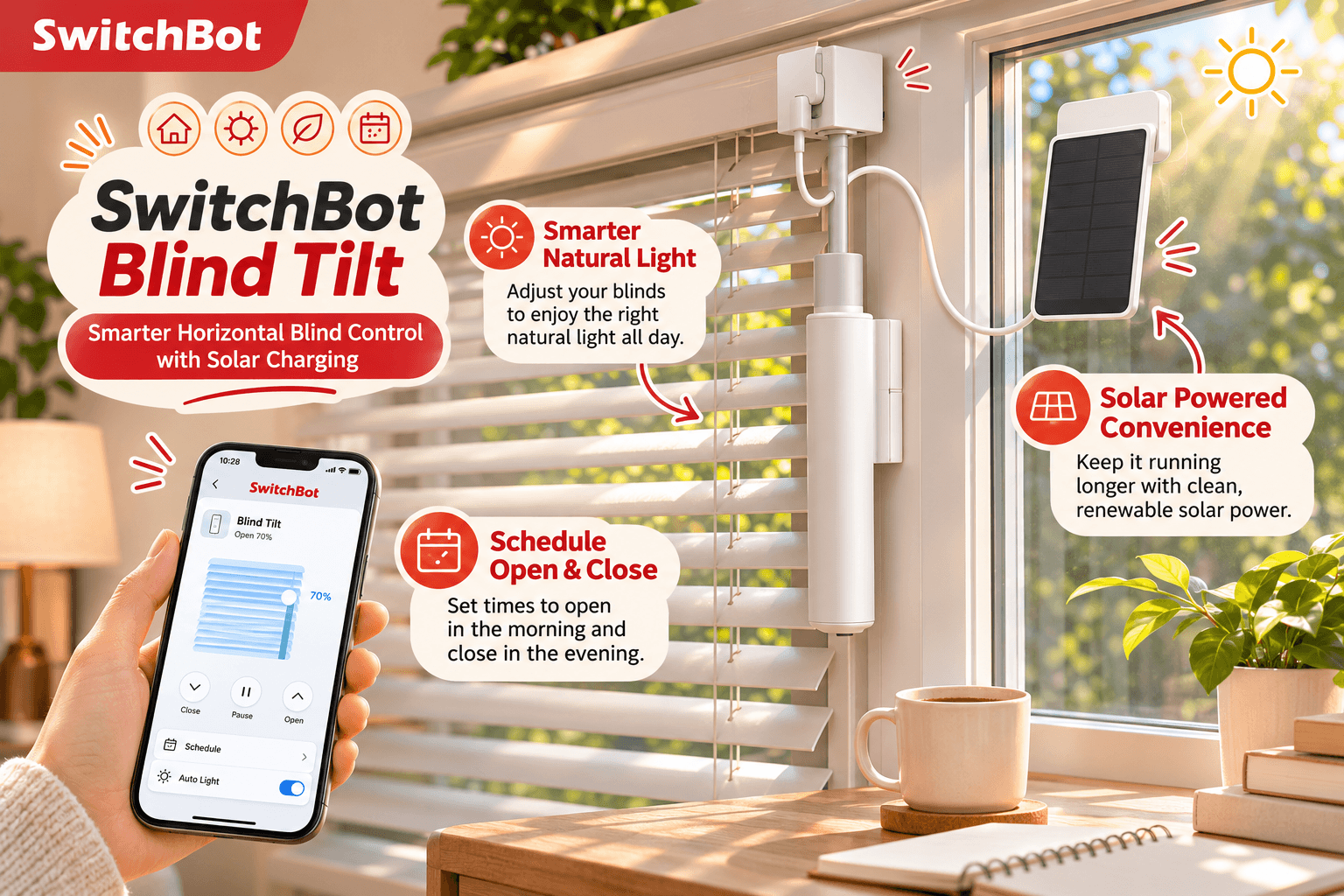
- Clips onto most existing venetian blind systems and motorizes the tilt.
- Solar-powered: a small panel trickles energy from normal indoor or outdoor light.
- Light-sensing mode: the unit can actually tilt blinds to protect the room from direct sun automatically, like a thermostat for daylight.
- App control and schedules built in.
- Pair with a Hub Mini to add Alexa and Google Home voice commands.
Where this shines:
- Home offices where screen glare costs you a productive afternoon.
- Living rooms with west-facing windows that get brutal late-day sun.
- Bedrooms where you’d rather wake up to soft auto-opening blinds than a phone alarm.
- Renters who can’t swap out blind hardware but can clip on a motor.
The light-sensing behavior is the quiet standout: you’re not just automating a blind, you’re automating light management. Over a hot summer day, that can also mean a cooler room and less AC load — a real, if indirect, energy saving.
💬 Try this on for size: “If your blinds have ever been at the perfect angle for exactly twenty minutes, this product is for you.”
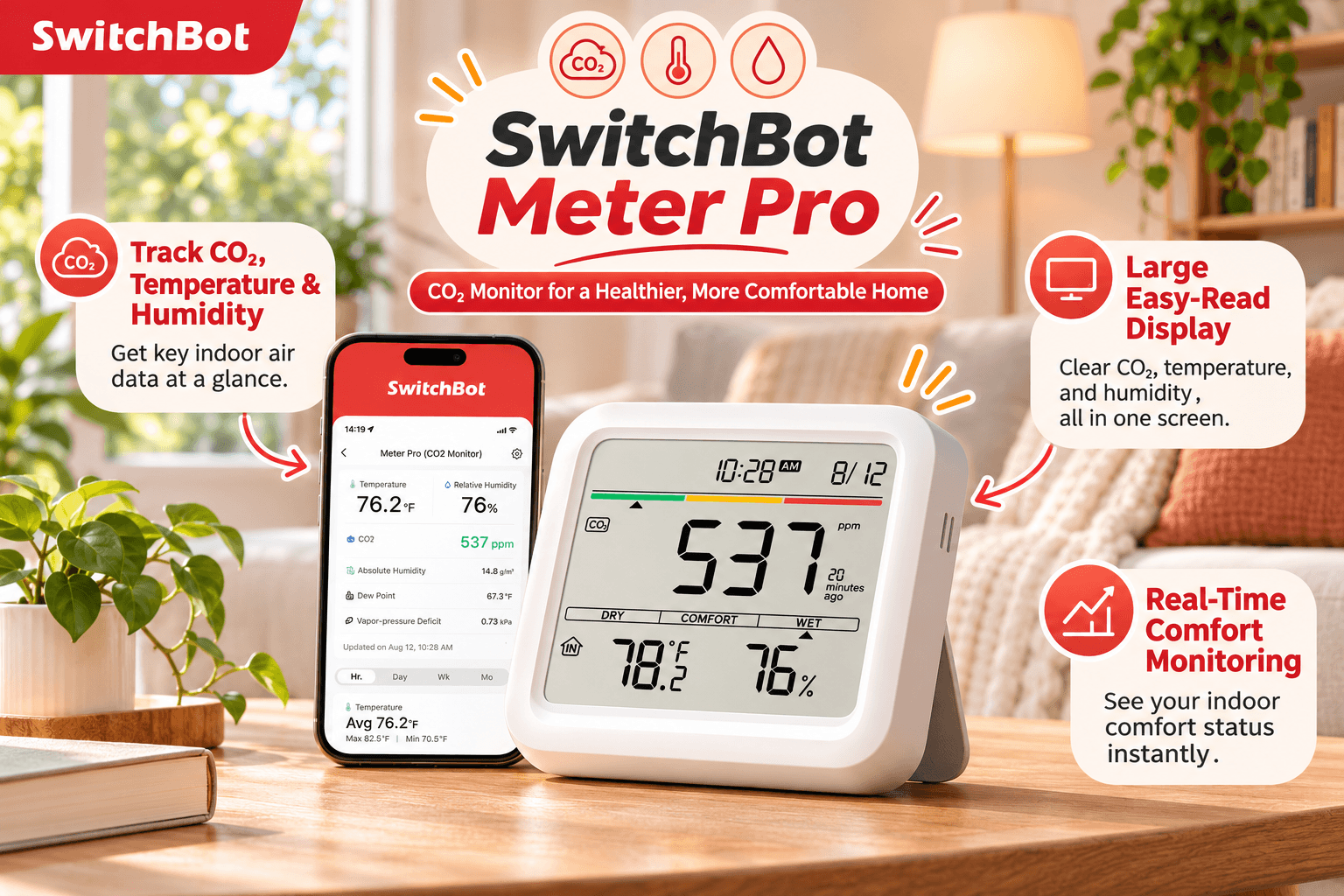
Product 3 — SwitchBot CO2 Detector: The Air-Quality Gadget Nobody Knew They Needed
Carbon dioxide monitoring went mainstream in a strange way: post-pandemic classrooms, offices, and home gyms all started asking the same question — is this room stuffy, or is it actually fine? SwitchBot’s CO2 Detector answers with a small, portable, three-channel readout.
What it tracks:
- CO₂ level (ppm) — the single most useful “is this room ventilated?” metric.
- Temperature — so you know if the heat is actually helping or hurting.
- Humidity — so you can spot dry winter air or damp basement air.
Where people actually use it:
- Home offices — a closed room with two people on video calls for 4 hours hits 1,500 ppm faster than you’d think.
- Cars — especially important on long commutes or when kids are asleep in the back.
- Greenhouses — CO₂ management directly affects plant growth, and this is cheap enough to sit in one.
- Bedrooms — many people discover their overnight CO₂ spikes are why they wake groggy.
- Classrooms and small offices — spot ventilation issues before they become complaints.
The value here isn’t the sensor itself; it’s the behavior change. Once you can see a number, you start opening windows before the number climbs. That’s the smartest possible automation: one that makes you smarter instead of replacing a habit.
Product 4 — SwitchBot 2K Doorbell Camera with Monitor: Security Cameras Without the Subscription Tax
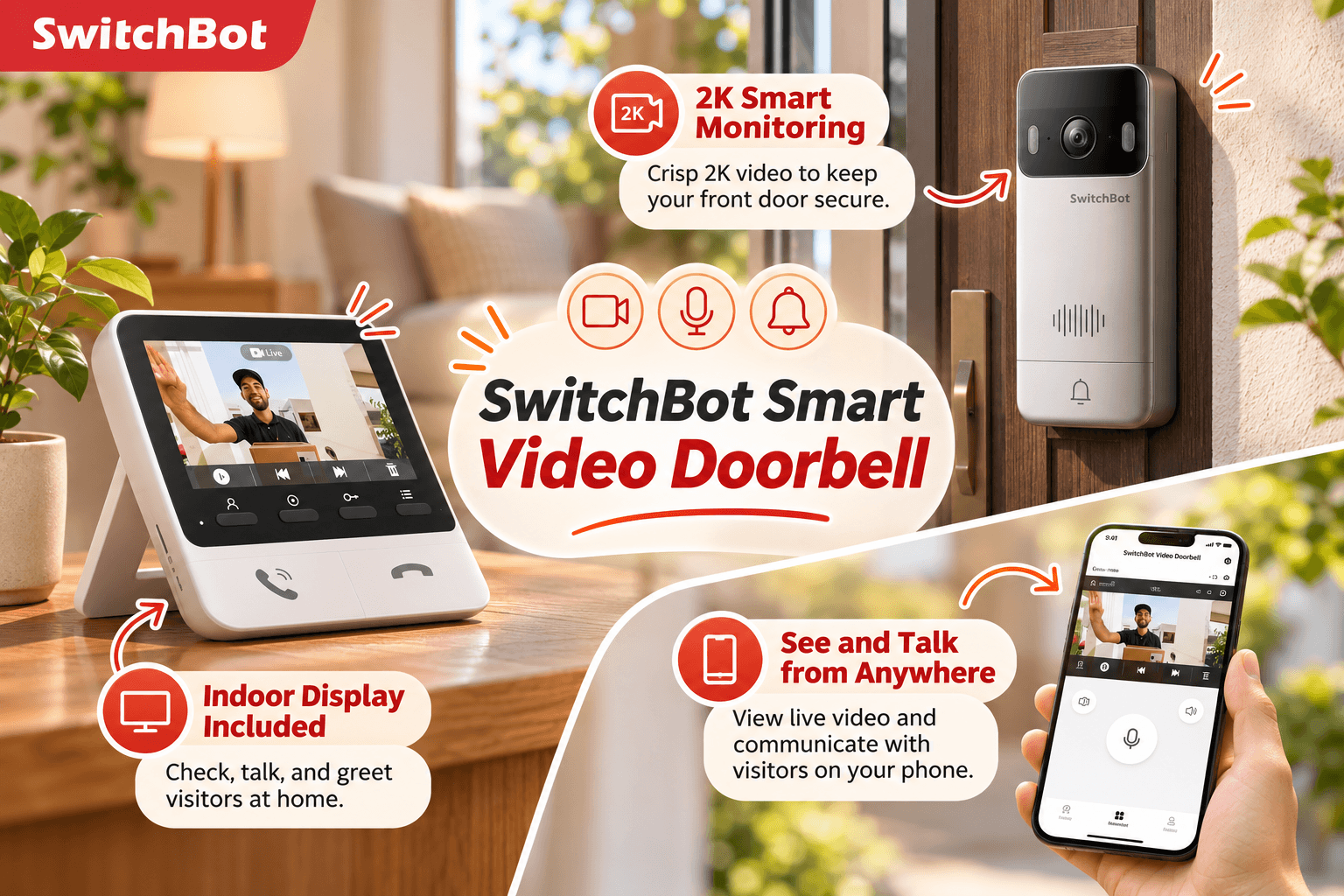
Doorbell cameras used to be sold as “free device, paid forever.” You paid for the camera, then paid again every month for the privilege of watching it record. SwitchBot’s doorbell takes a different lane.
What’s in the box:
- A 2K-resolution doorbell camera — sharp enough to read faces and packages on a porch.
- A monitor unit that sits inside your home and shows you who’s at the door, like a modern intercom.
- No subscription required for core recording and functionality. This is the headline, and it’s worth underlining.
Why this matters:
- You’re not locked into a monthly cloud plan to use the thing you bought.
- The indoor monitor means you don’t have to grab your phone or open an app — someone rings, you look up.
- It fits the SwitchBot philosophy again: add a layer of smarts to an existing front door without redesigning it.
For households that:
- Get regular deliveries and want to know what’s on the porch without opening an app.
- Have kids or elderly family members who can’t easily use a phone when the doorbell rings.
- Hate subscription models on principle.
…this is one of the most approachable doorbell upgrades on the market.
Product 5 — SwitchBot Smart Plug Mini: The Easiest “First Smart Home Device” Ever Made
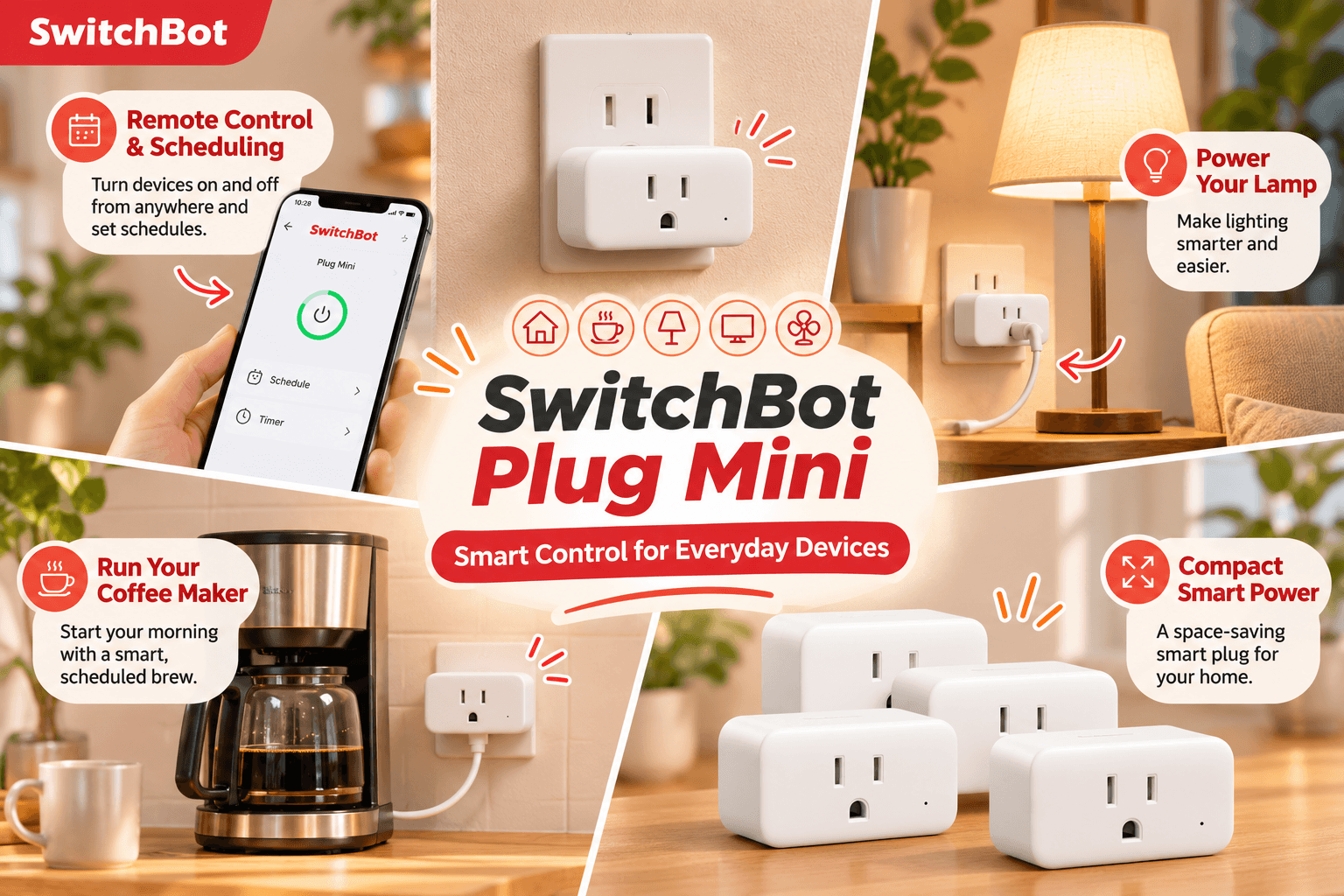
If a fingerbot feels like too much, and a doorbell feels like a project, the Smart Plug Mini is the on-ramp.
Specs at a glance:
- 15A rating — handles most small appliances, lamps, fans, coffee makers, space heaters (within rating).
- Energy monitoring — the plug itself measures power draw, so you can see what your devices actually cost.
- Wi-Fi and Bluetooth built in.
- Works with Alexa, Google Assistant, and Home Assistant out of the box.
- App control and timers.
- No hub required. At all.
- Compact design — doesn’t block the outlet below it.
The reasons this plug is more interesting than it looks:
- It’s genuinely a smart-home entry point that doesn’t ask for commitment. Plug it in, name it in the app, done.
- Energy monitoring means you finally learn whether that cable box is quietly eating 30W 24/7.
- Home Assistant compatibility is a rare and welcome detail — tinkerers love this, and most budget plugs ignore them.
- Timers turn “I think I left the fan on” into a solved problem.
💬 A relatable dialogue:
“Can we start with just one smart-home thing?”
“Yes. Plug this into your lamp. You’re done.”
“That’s… it?”
“That’s it. Welcome home.”
Product 6 — SwitchBot Solar Panel Charger for Curtain 3: The Accessory That Makes a Great Product Nearly Hands-Free
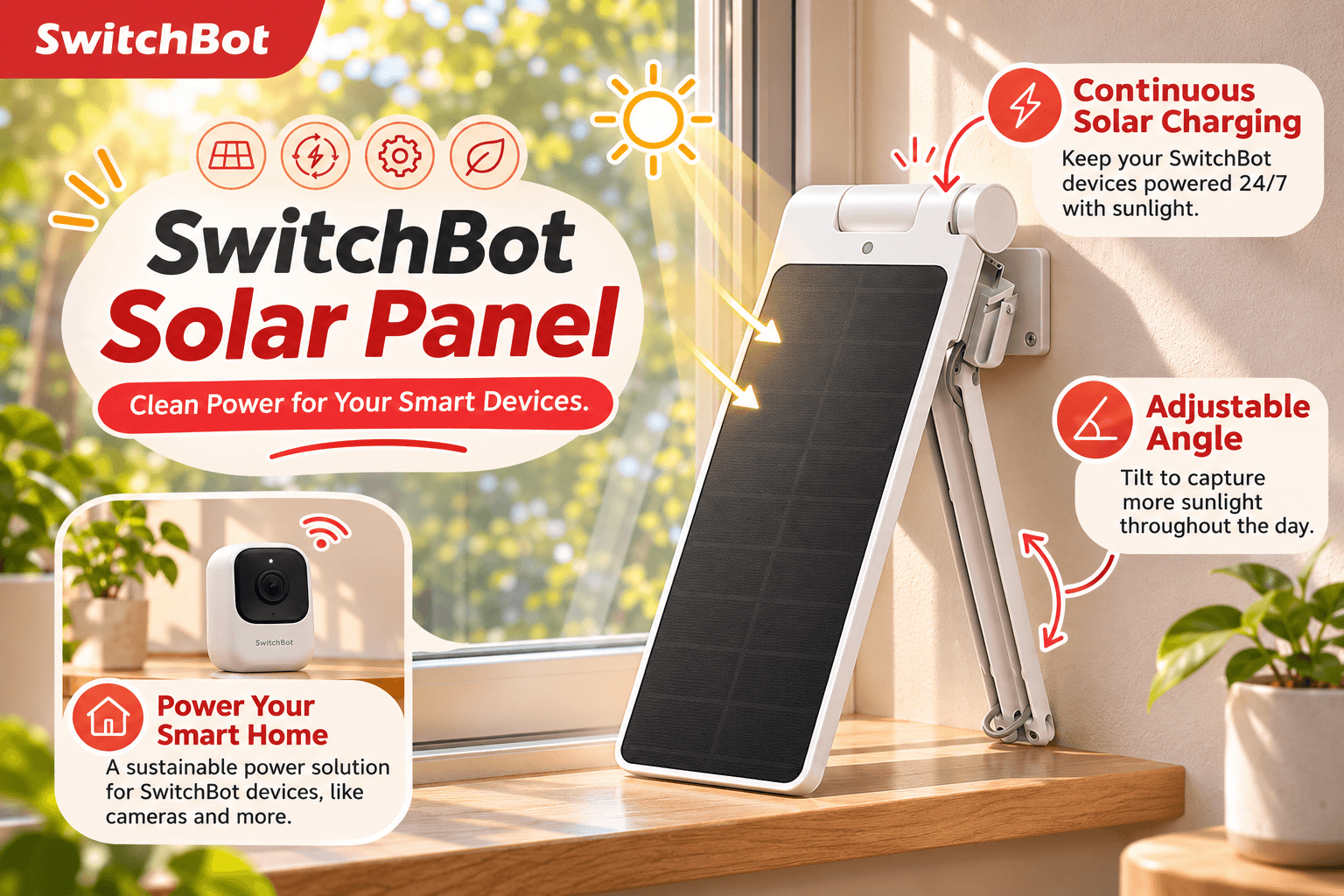
This is the only product on the list that is, itself, an accessory — but an important one, because it reveals how SwitchBot thinks about the long run.
What it does:
- Made specifically for the SwitchBot Curtain 3 (in both Rod and U-Rail versions).
- Enhanced solar performance versus the earlier generation.
- Low-light charging support — so even north-facing windows and cloudy days can keep the curtain motor topped up.
- Effectively makes a Curtain 3 installation a never-charge-it installation.
Why this is worth writing about:
Most smart-home devices force you into a battery-swap schedule or a wired install. Curtain 3 already avoids replacing your existing curtain rail. The Solar Panel closes the last loop: you don’t even have to think about the battery.
For:
- Existing Curtain 3 owners who want to finally retire the USB charging ritual.
- People considering a Curtain 3 install who want the cleanest long-term setup.
- Homes with windows that see a decent amount of natural light, even indirect.
It’s the kind of accessory that doesn’t get a lot of marketing love, but which quietly changes how you feel about the product. When a smart blind never dies on you, it stops feeling like a gadget and starts feeling like infrastructure.
A Quick Comparison: Where Each Product Sits in Your First SwitchBot Order
If you’re trying to decide what to start with, here’s a deliberately simplified map:
| If your biggest annoyance is… | Start with… | Effort level | Hub needed? |
|---|---|---|---|
| Getting out of bed to flip a switch | Button Pusher (Fingerbot) | Very low | Optional |
| Sun glare on screens and furniture | Blind Tilt | Low | Optional (for voice) |
| Stuffiness, dry air, bad sleep | CO2 Detector | Very low | No |
| Doorstep packages, ringers, porch chaos | 2K Doorbell + Monitor | Low–medium | No subscription |
| “Did I leave it on?” + phantom energy use | Smart Plug Mini | Very low | None |
| A Curtain 3 install that runs forever | Solar Panel Charger for Curtain 3 | Low | No |
Most people order one thing, realize the retrofit promise is real, and come back within months for a second and third device. That’s the actual SwitchBot funnel: not a contract, but curiosity.
Why This Brand Is Different (A Slightly Deeper Look)
It’s easy to look at SwitchBot as “another Amazon gadget brand.” The product lineup on paper looks modular and cheap, which can read as generic. But there are a few things that genuinely separate it:
- The retrofit instinct is consistent across the line. Fingerbot, Curtain, Blind Tilt, Plug — none of them ask you to replace what’s already there.
- Optional hub, not mandatory hub. Many devices work over Bluetooth or Wi-Fi on day one.
- No subscription pressure on core security. The 2K Doorbell with monitor makes this explicit.
- Solar and energy awareness as product strategy, not marketing fluff. The Solar Panel for Curtain 3 and the energy-monitoring plug both signal that the brand thinks about ownership cost, not just unit sales.
- A real origin story. A tiny Kickstarter robot finger in 2016 becoming a 1.5-million-user ecosystem is a credible narrative, not a bought one.
That combination — retrofit-friendly, optional hubs, no subscriptions, real engineering origin — is why SwitchBot keeps showing up on “best smart home for renters,” “best smart home for older homes,” and “best smart home on a budget” lists, even when other brands spend more on ads.
Who Is SwitchBot For, Exactly?
This brand fits a few types of people very specifically:
- Renters. You can’t change the switches, the blinds, or the front-door wiring. SwitchBot’s stick-on and clip-on products are made for you.
- Owners of older homes. Victorian wiring, solid walls, and “weird original features” defeat a lot of smart-home systems. Retrofit robots don’t care.
- Tinkerers and Home Assistant users. The open compatibility and no-hub plug make the brand attractive to people who want to build, not just buy.
- People who hate subscriptions. The doorbell especially, but the whole line generally, avoids the “pay forever” trap.
- People who want to start small. One fingerbot, one plug, one blinds motor — the ecosystem grows with you.
It fits less well if your dream is a fully redesigned, contractor-grade smart home with built-in panels everywhere. For that, you’d probably spec something more “wired.” SwitchBot is for the rest of us.
Putting It All Together: A Sample First Order
If you wanted a realistic starter bundle that tells the full SwitchBot story in a single package, you could do a lot worse than:
- Smart Plug Mini — so the desk lamp and the fan on your home office become schedulable tonight.
- Button Pusher — on the bedroom light switch, because bedtime automation is the most underrated luxury in the category.
- CO2 Detector — on the office shelf, so you know when it’s time to open the window.
- And then, when you’re ready to level up: a Hub Mini, plus a Blind Tilt for the west-facing window that’s been roasting your screen every afternoon.
That’s a complete, genuinely useful smart-home setup for less than the price of one fancy coffee machine — and nothing in it requires a drill, an electrician, or a subscription.
Final Thoughts: Small Robots, Big Quiet Upgrades
SwitchBot‘s real superpower isn’t any single gadget. It’s the philosophy: smart home doesn’t have to mean smart house. It can mean smart things, stuck on, clipped onto, plugged into, or solar-powered on top of the ordinary devices you already own.
The fingerbot that presses your light switch. The blind that tilts itself to protect your screen. The plug that quietly tells you how much your entertainment setup costs. The doorbell that doesn’t ask for a monthly tribute. The CO₂ detector that makes you ventilate before you realize you’re tired. The solar panel that makes your curtain feel like it’s always been there.
Individually, each is a small upgrade. Together, over a year or two, they quietly change how your home behaves. And that — not a glossy pitch, not a subscription, not a rewrite of your wiring — is the SwitchBot brand in a nutshell.
If you’ve been holding off on “going smart” because the category has felt expensive, intrusive, or permanent, this is the brand to try first. Start with one finger. Add the rest slowly. That’s how the ecosystem was meant to grow.