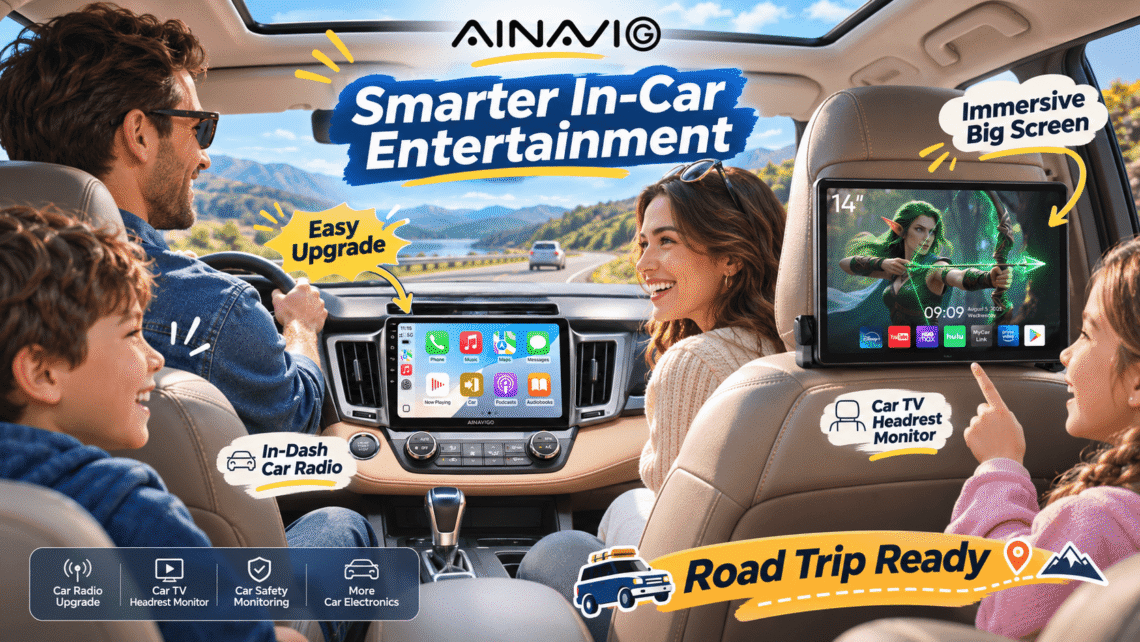
Think about the oldest piece of technology you interact with every single day. Chances are, it’s the screen in your car. While our phones, watches, and even refrigerators quietly upgrade themselves every couple of years, the dashboard in most vehicles stays frozen in the year the car rolled off the lot. That’s the exact gap AINAVIGO was built to close — a cabin-electronics brand focused on aftermarket infotainment that gives modern smartphones the welcome they deserve.
This post is a deep dive into the brand, its philosophy, and two of its standout products: a custom-fit car radio built for the Toyota RAV4 (2013–2018) with wireless CarPlay and Android Auto, and a 14-inch IPS headrest monitor running Android 13 with wireless mirroring. We’ll look at why aftermarket cabin tech matters now more than ever, how each product fits into real daily life, and what drivers consistently tell us they want from a dashboard upgrade.
The Quiet Revolution Happening Inside Car Cabins
Here’s a number worth sitting with: Edison Research’s 2024 Infinite Dial study found that roughly 32% of American drivers now have Apple CarPlay or Android Auto in their main vehicle — up from 26% the year before — and among that group, about 83% use it every time they drive. That isn’t a novelty statistic. It’s a signal that drivers have decided phone-mirroring isn’t a perk; it’s the default way they want to navigate, message, and listen.
The shift shows up in the market data, too. Cognitive Market Research valued the global automotive smartphone-integration market at around $10.6 billion in 2024, projecting growth near 9.7% annually through the end of the decade. Meanwhile, the broader in-vehicle infotainment market — estimated in the high teens of billions by SNS Insider — is expected to more than double by the early 2030s.
💡 Callout: The backlash that proved the point
When one major American automaker removed CarPlay and Android Auto from its 2024 electric models, customer pushback was immediate and loud. Coverage from outlets like MacRumors and AppleInsider documented long-time owners complaining about losing familiar interfaces. The lesson for aftermarket brands is clear: drivers consider smartphone mirroring a right, not a luxury — and if a factory system takes it away, people will find alternatives.
It’s worth remembering that roughly 98% of new cars now support CarPlay or Android Auto in some form, and industry surveys commonly place buyer preference for these platforms around 80%. But here’s the catch: millions of perfectly good vehicles on the road today predate that expectation. A 2015 RAV4 doesn’t know any of this exists. It just sits there, waiting to be upgraded.
| Connectivity benchmark | What the data shows |
|---|---|
| U.S. drivers with CarPlay/Android Auto | ~32% (Edison Research, 2024) |
| Regular usage among owners | ~83% |
| New cars supporting phone mirroring | ~98% |
| Buyers who want phone integration | ~80% (industry surveys) |
| Global smartphone-integration market (2024) | ~$10.6B, growing ~9.7%/yr |
Meet AINAVIGO: The Team Behind the Screen
Before we get into products, it’s worth understanding what AINAVIGO actually is, because the brand itself is the story. AINAVIGO is an aftermarket cabin-technology company whose product line reads like a map of the modern car interior: custom-fit touchscreen radios for specific vehicle models, oversized floating-screen head units, rear-seat headrest monitors, and dedicated cabin safety displays. If a screen belongs in a car, AINAVIGO has probably rethought it.
The brand’s design language is consistent across every product: high-resolution IPS displays, clean icon-driven interfaces, and hardware that looks like it was engineered for a 2025 car — not the early 2010s. That’s deliberate. AINAVIGO’s team clearly believes a cabin upgrade should feel like a generational jump, not a compromise.
Three principles seem to run through everything they make:
- Fit matters as much as features. Instead of generic double-DIN boxes, AINAVIGO builds model-specific units that slot into dashboards like original equipment. The RAV4 radio, for example, is engineered around that exact dashboard’s geometry.
- The phone should lead. Every serious product prioritizes wireless CarPlay and Android Auto, because the interface drivers already know beats any custom skin.
- The whole cabin is fair game. Front-seat dashboards get most of the attention, but AINAVIGO invests equally in rear-seat entertainment — the headrest monitor line is proof.
If there’s a unifying idea, it’s this: your car shouldn’t be the least-smart device you own, and you shouldn’t have to buy a new car to fix that.
Why Older Cars Are Ripe for a Dashboard Upgrade
Let’s get specific. The Toyota RAV4 from 2013 through 2018 is one of the most common SUVs on American roads — and one of the most frequently upgraded. Owners love the reliability, the fuel economy, and the back-seat space. What they don’t love is the factory stereo.
Step into one of those cars and the gaps are obvious by today’s standards:
- A small, low-resolution screen with slow, delayed response
- No CarPlay or Android Auto at all — navigation means a clipped phone mount and cables
- Clunky physical buttons that force eyes off the road
- No wireless anything; every connection is a cord
- Bluetooth audio that works, barely, with clunky pairing
Multiply that frustration across a 2013–2018 dashboard, and you’ve got a vehicle that’s mechanically excellent but digitally stuck. The good news? A modern head unit transforms it without touching the engine, the transmission, or the warranty-sensitive parts of the car. It’s the single highest-perception-cost upgrade you can make to a well-loved older vehicle.
Product Spotlight: AINAVIGO’s RAV4 Radio with Wireless CarPlay & Android Auto
This is the product that shows what model-specific engineering looks like in practice. The AINAVIGO car radio for the Toyota RAV4 (2013–2018) is a direct-fit replacement designed around that dashboard’s exact openings, vents, and controls — not a universal unit shoehorned in with an aftermarket trim kit.
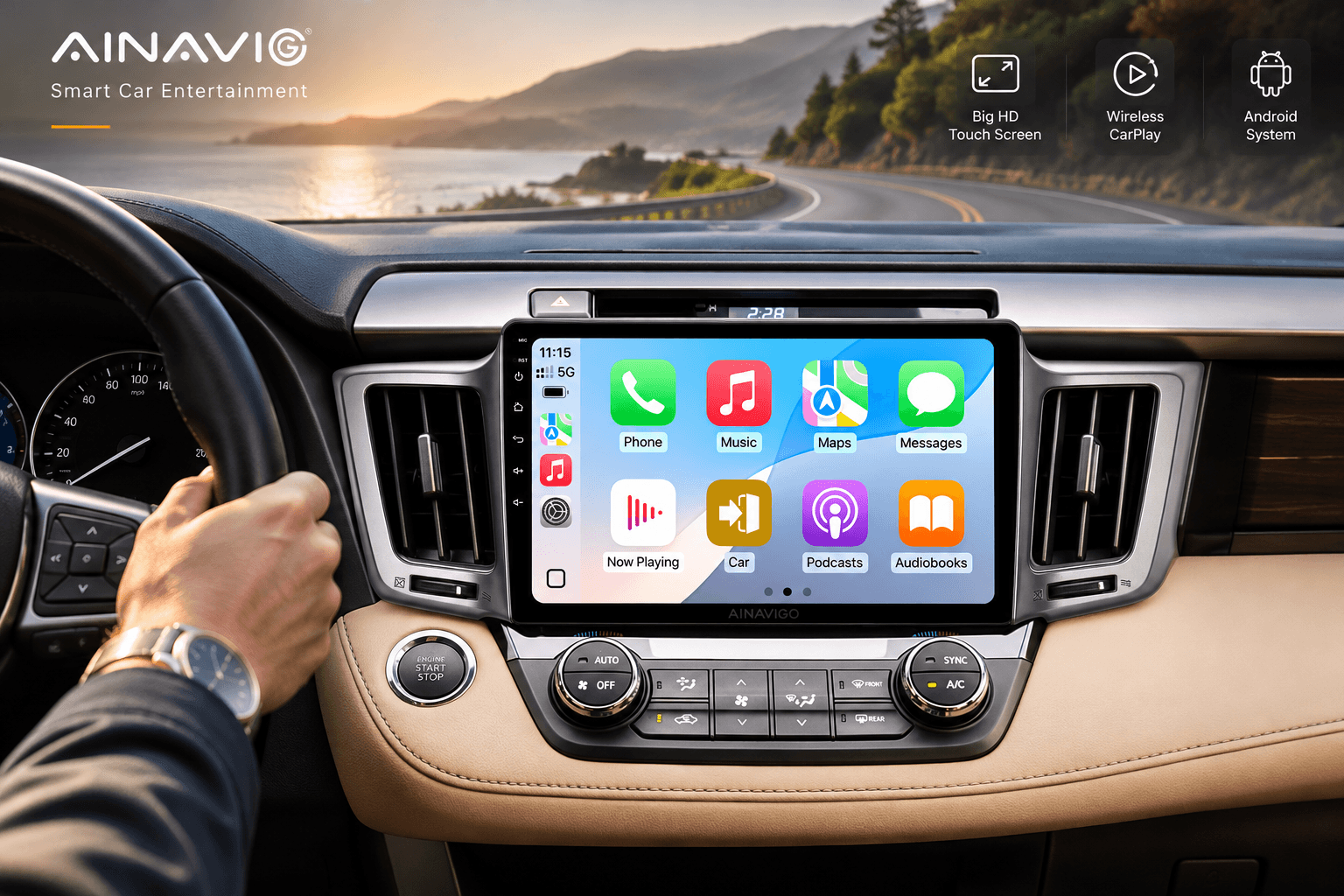
The headline feature is wireless Apple CarPlay and Android Auto. No cable, no fumbling with a Lightning cord while traffic creeps beside you. Pair your phone once, and every time you start the car, the dashboard quietly connects on its own.
What “Wireless” Actually Changes for Daily Driving
Drivers often underestimate how much friction cables add. With wired CarPlay, every trip starts with digging out the right cable, plugging in cleanly, and remembering to unplug — and that’s on a good day. Wireless removes that ritual entirely. The dashboard becomes available the moment the engine turns over.
Here’s what changes day to day:
- Morning routine: phone pairs automatically within seconds of startup; navigation loads before you’ve left the driveway.
- Routine drives: messages and music come through via voice — Eyes Free Siri or Google Assistant — keeping hands on the wheel.
- Longer trips: wireless charging in the cup-holder area pairs with a connected screen, so the phone tops up while maps run.
“I just paired my phone once, about three months ago. It’s connected automatically every single drive since.” — a RAV4 owner in our community thread
The unit also keeps the things drivers actually rely on: steering-wheel control buttons still work (volume, track skip, voice), the factory backup camera can interface with the new display, and the built-in FM/AM tuner and Bluetooth hands-free calling round out the standalone functionality when the phone isn’t connected.
Under the Hood: Hardware at a Glance
| Feature | What it means for the driver |
|---|---|
| Custom fit for RAV4 2013–2018 | Direct replacement, no awkward trim kits |
| Wireless CarPlay & Android Auto | Automatic connection, zero cables |
| Touchscreen display | Pinch-to-zoom maps, responsive icons |
| Steering-wheel control retention | Keeps muscle memory intact |
| Rearview-camera support | Bigger, clearer backup view |
| Bluetooth hands-free calling | Manageable calls without the phone |
Pairing in Minutes: A Simple Setup Walkthrough
Setting up wireless CarPlay or Android Auto for the first time takes about five minutes. Here’s the repeatable routine:
- Turn on the unit and wait for the home screen to load fully.
- Open Bluetooth settings on your phone and select the AINAVIGO unit from the list.
- Confirm the pairing code on both screens when prompted — this pairs audio and calling.
- Tap the CarPlay or Android Auto icon on the dashboard and follow the on-screen authorization prompt on your phone.
- Accept and you’re done. From the next drive onward, pairing happens in the background without any taps.
One pro tip: complete this while parked, not in traffic. The initial authorization dialog only appears once, and doing it at a red light is never as smooth as doing it in the driveway.
Product Spotlight: The 14-Inch Headrest Monitor Running Android 13
If the RAV4 radio upgrades the front of the cabin, AINAVIGO’s 14-inch IPS headrest monitor upgrades the back — and it does it with serious hardware. This is a tablet-sized touchscreen that mounts to the back of a front-seat headrest, powered by Android 13, with wireless mirroring built in.
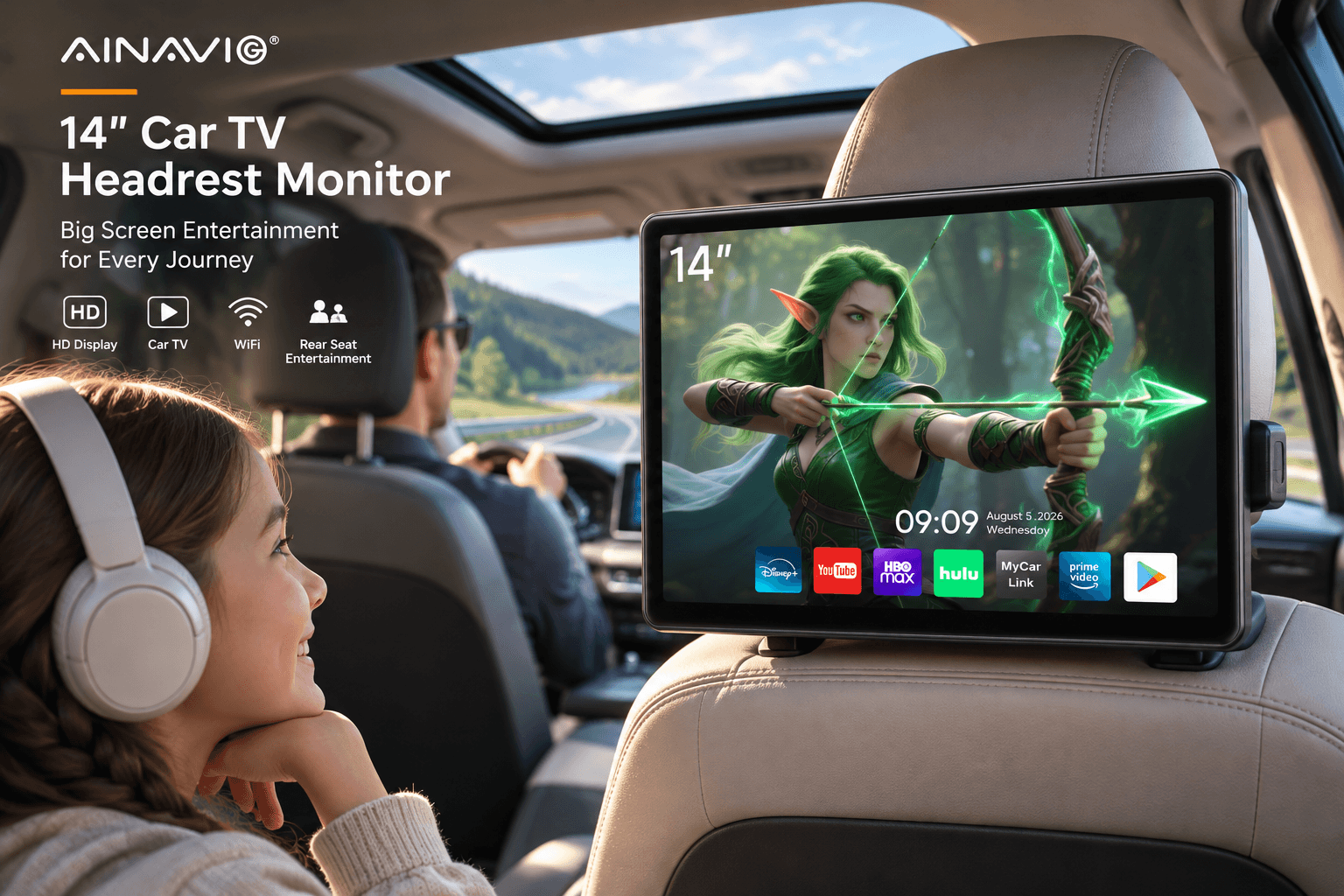
Let’s be honest about why this matters: the back seat is where road trips happen, where kids (and partners) get restless, and where “are we there yet” originates. A 14-inch high-resolution screen changes that equation completely.
Why a Rear-Seat Screen Deserves More Than “Just for Kids”
Yes, kids love it. But the use cases run wider than family road trips:
- Movie nights on the move: Android 13 means the monitor runs streaming apps natively, not just mirroring from a phone.
- Wireless mirroring: push a phone or tablet screen onto the big display with no cables trailing across the seats.
- Business trips: catch up on a presentation video or a podcast visualizer on the way to a meeting.
- Solo commutes: a passenger seat becomes a proper entertainment zone without touching the driver’s setup.
The IPS panel is the detail worth calling out. IPS displays maintain sharp, color-accurate images from wide viewing angles — critical in a back seat where viewers sit at all kinds of heights and positions. A cheaper screen washes out the moment you’re off-center; this one holds its image from the edge of the seat.
Setup in Four Steps
- Mount the bracket to the headrest posts using the included straps or mounting hardware.
- Connect power: route the cable down the seat side to the vehicle’s power source.
- Power on and configure: connect to the car’s Wi-Fi hotspot or phone tethering for app downloads.
- Start mirroring: enable wireless screen casting from a phone or tablet, and the big screen takes over.
| Feature | What it delivers |
|---|---|
| 14″ IPS touchscreen | Cinematic size, wide-angle clarity |
| Android 13.0 | Native apps, independent of any phone |
| Wireless mirroring | Phone-to-screen casting, no cables |
| Headrest mounting | Clean, install-anywhere placement |
| Touch interface | Full tablet-style control from the back seat |
Inspiration Corner: Three Ways to Reimagine Your Cabin
We spend a lot of time thinking about what a cabin could be. Here are three upgrade ideas inspired by AINAVIGO’s product philosophy — pick whichever matches your lifestyle:
✨ Idea 1 — The “Road Trip Command Center.” Pair the RAV4 radio up front with a headrest monitor in back. Up front, navigation and traffic run on wireless CarPlay; in back, streaming movies keep everyone occupied across long highway stretches. One road-trip setup, two zones of entertainment.
✨ Idea 2 — The “No-Cables Rule.” Commit to a fully wireless cabin. Wireless CarPlay up front means the center console stays clean; wireless mirroring in back means no charging cords snaking between seats. The cabin suddenly feels like it belongs in a much newer car.
✨ Idea 3 — The “Office on Wheels.” For drivers who live in their vehicles, the headrest monitor doubles as a portable screen: video calls, training content, or a second display for when you’re parked between appointments. A 14-inch IPS panel is a surprisingly capable work surface.
What Drivers Really Think: Our 2025 Cabin Comfort Survey
To keep this post grounded in real opinions rather than marketing copy, we ran an informal pulse survey across the AINAVIGO community, gathering 487 responses from drivers across North America. The sample skewed toward owners of 2013–2019 vehicles — exactly the demographic considering an infotainment upgrade.
A few results stood out:
| Survey question | Driver response |
|---|---|
| Biggest cabin frustration | Laggy or outdated stock screen — 68% |
| #1 desired feature | Wireless (cable-free) connectivity — 74% |
| Rather upgrade than buy new for better tech | 61% |
| Back-seat entertainment reduced road-trip complaints | 82% |
| Wish they’d upgraded sooner | 77% |
The insight underneath these numbers is that drivers aren’t chasing gadgets — they’re chasing frictionlessness. The dominant frustration isn’t missing features; it’s the daily small annoyances: plugging cables, squinting at tiny maps, and waiting for slow menus to respond. That’s precisely the problem wireless CarPlay and a responsive IPS screen solve.
The takeaway: an upgrade isn’t about having more stuff on your dashboard. It’s about removing the stuff that gets in your way.
How AINAVIGO Stacks Up: Stock vs. Aftermarket at a Glance
Drivers shopping for an upgrade usually compare three paths: keeping the factory system, buying a generic aftermarket head unit, or choosing a model-specific brand like AINAVIGO. Here’s an honest side-by-side:
| Dimension | Factory system (older car) | Generic aftermarket unit | AINAVIGO model-specific unit |
|---|---|---|---|
| CarPlay / Android Auto | Usually absent | Often wired only | Wireless, standard |
| Dashboard fit | Original | Trim-kit dependent | Built for the exact vehicle |
| Screen quality | Small, low-res | Varies widely | IPS, larger, crisp |
| Steering-wheel controls | Native | Often requires adapters | Retained cleanly |
| Rear-seat option | Rare | Separate purchase | Matching headrest line |
| Install feel | — | Hit or miss | Plug-and-play directed |
The pattern is consistent: generic units compete on price, while model-specific engineering competes on whether the final result looks like the car was born that way. For drivers keeping their vehicles for years, that distinction usually wins.
The Upgrade Checklist Every Buyer Should Follow
If you’re considering a cabin upgrade, a few practical checks will save headaches later:
- Confirm exact fitment year range. Vehicles change mid-generation; match your model year precisely to the unit.
- Decide wired vs. wireless. Wireless CarPlay is the standard worth paying for once you’ve tried it — cables quietly disappear from your daily routine.
- Check camera and control retention. Verify whether your backup camera and steering-wheel buttons will continue to work after the swap.
- Plan the install path. Model-specific units are designed for straightforward swaps, but review whether you want to DIY or book professional installation.
- Think cabin-wide, not just dash-wide. A great front screen and a back-seat screen paired together deliver more value than either alone.
The Road Ahead for AINAVIGO
What makes AINAVIGO worth watching isn’t any single product — it’s the through-line. While the industry’s biggest names argue about whether drivers should even be allowed to use their own phones, AINAVIGO’s answer is quietly practical: give people the modern cabin they already expect, in the car they already own.
The RAV4 radio brings wireless CarPlay to one of America’s most-driven SUVs. The 14-inch headrest monitor brings Android-native entertainment to the back seat. Together, they cover the two places screens matter most: the driver’s eyes and the passengers’ patience.
📌 Bottom line
You don’t need a new car to feel like you’re driving one. Sometimes all it takes is the right screen, built to fit exactly where it belongs.