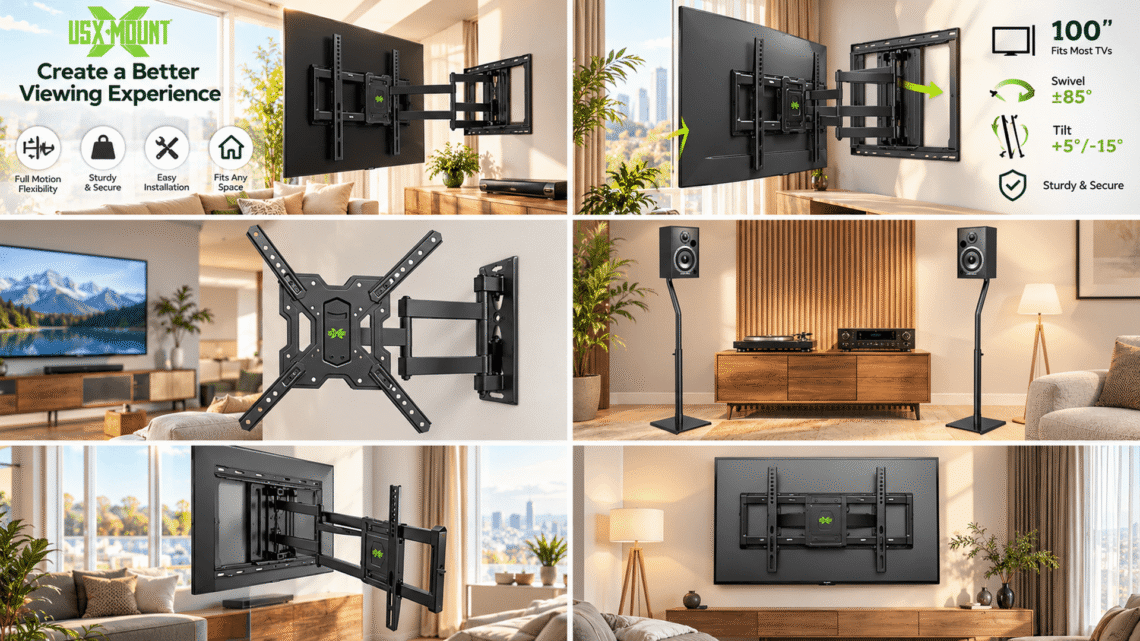
Here’s a small confession: the average family spends three-plus hours a day in front of a television, yet almost nobody deliberates over the piece of hardware that actually holds that television in place. We argue about screen size, brand, refresh rate, and soundbar placement, then bolt the whole thing to the wall with a bracket we picked out in two minutes. USX MOUNT was built on the belief that this is backwards. The mount isn’t an afterthought — it’s the decision that determines whether your living room looks designed, comfortable, and safe for the next decade. This is the story of the brand that took mounting seriously when everyone else treated it as an accessory. 📺
Most people would rather vacuum the garage than drill into a perfectly good wall. A television is the single most expensive object in your living room, and yet the hardware entrusted with carrying it is often chosen on autopilot. That paradox is exactly why a brand like USX MOUNT exists — to make the mounting decision feel calm, forgiving, and honestly kind of enjoyable.
The Invisible Upgrade You Keep Putting Off
Walk into any home improvement store and the TV wall mount aisle looks identical everywhere: a handful of steel brackets in sealed plastic, a wall of overlapping jargon, and zero enthusiasm. For years, the industry’s attitude has been, “It’s a bracket — who cares?” Meanwhile, homeowners quietly endure sagging screens, glare at noon, and cables drooping halfway down the drywall.
🛋️ The irony is that mounting your TV is the cheapest room transformation money can buy. A properly mounted screen frees up your entire entertainment cabinet, removes the wobbly stand, and instantly makes a flat wall feel like a design magazine spread. It also solves ergonomics: no more craning your neck upward from a low console, no more squinting at screen reflections from the window at golden hour.
Consider what a mount actually controls:
- Viewing height — your eyes should land on the lower third of the screen, not the ceiling.
- Glare and angles — a tilt or swivel mount lets you chase the light, not fight it.
- Floor space — floating a 65-inch screen off the wall reclaims the furniture footprint underneath it.
- Safety — anchored steel beats a plastic stand, especially in homes with kids, pets, or earthquakes.
- Cable hygiene — nothing ruins a clean wall like three visible wires snaking down it.
The catch is that the mounting aisle has never helped ordinary people make these decisions. Charts are confusing, stud finders feel like witchcraft, and the fear of drilling into the wrong spot keeps perfectly flat screens sitting on their original stands for years. That gap — between what people want and what the category offers — is where USX MOUNT built its reputation. 📊
Who Is USX MOUNT, Exactly?
USX MOUNT positions itself as a complete mounting solution provider for the North American home — a brand that designs brackets for the way real people actually live, not the way product engineers imagine they should live. Its catalog spans the full spectrum of flat-panel displays, from tiny 10-inch kitchen monitors to 97-inch flagship living-room screens, which is rare: most brands either chase the budget bracket or the luxury installer segment.
💡 Quick insight: What separates USX MOUNT from generic Amazon brackets isn’t one dramatic feature — it’s the accumulation of small, thoughtful decisions. Labeled hardware bags, wall templates printed on the box, hook-and-hang designs that let one person install a 65-inch screen alone, and a support team that answers when something doesn’t line up. In a category known for cheapness, that care is a differentiator.
The Problem They Set Out to Solve
Most mounting brands assume you’re a professional installer. Instructions read like technical drawings, hardware comes in one unmarked bag, and “easy” is a marketing word, not an experience. USX MOUNT’s early insight was that the customer is usually a regular person with a cordless drill, a weekend afternoon, and exactly zero confidence.
Their design language therefore leans toward what installers call “foolproofing”:
- Brackets ship with a printed wall template you tape to the wall so you can drill holes in the right places without measuring twice.
- Screw bags are sorted and labeled by step, so you’re never hunting for the right washer at hour two.
- Hook-style hangers let you rest the TV on the wall plate before driving the final screws — a one-person installation game-changer.
- Post-install adjustment (micro-leveling, side-to-side shifting) survives after the screen is hung, so perfection doesn’t depend on your first attempt.
A Philosophy: Engineered Like Furniture, Priced Like a Bracket
The brand’s sweet spot is what you might call “prosumer mounting”: steel and engineering specs borrowed from commercial installation, with consumer-friendly pricing and packaging. A full-motion bracket that articulates 16 inches out from the wall, tilts to cut glare, and swivels toward a breakfast bar shouldn’t cost as much as the TV itself. USX MOUNT’s entire price architecture is built around that idea — safety and range of motion as table stakes, not luxury upgrades.
Inside the USX MOUNT Range
The catalog is organized the way a homeowner actually thinks: by screen size and how much movement you need. Rather than memorizing model numbers, most buyers choose a range first, then match their TV’s weight and hole pattern.
| Range Class | Typical Screen Size | Weight Capacity | VESA Pattern | Movement Type |
|---|---|---|---|---|
| Monitor / small screen | 10″ – 26″ | up to 22 lbs | up to 100×100 mm | tilt, swivel |
| Compact full-motion | 26″ – 55″ | up to 77 lbs | up to 400×400 mm | tilt, swivel, extend |
| Full-size full-motion | 42″ – 80″ | up to 120–132 lbs | up to 600×400 mm | articulate 16″+ out |
| Large-screen flagship | 42″ – 97″ | up to 150 lbs | up to 600×400 mm | heavy-duty articulation |
| Low-profile fixed | 37″ – 86″ | up to 132 lbs | up to 600×400 mm | flush, ~1.3″ off wall |
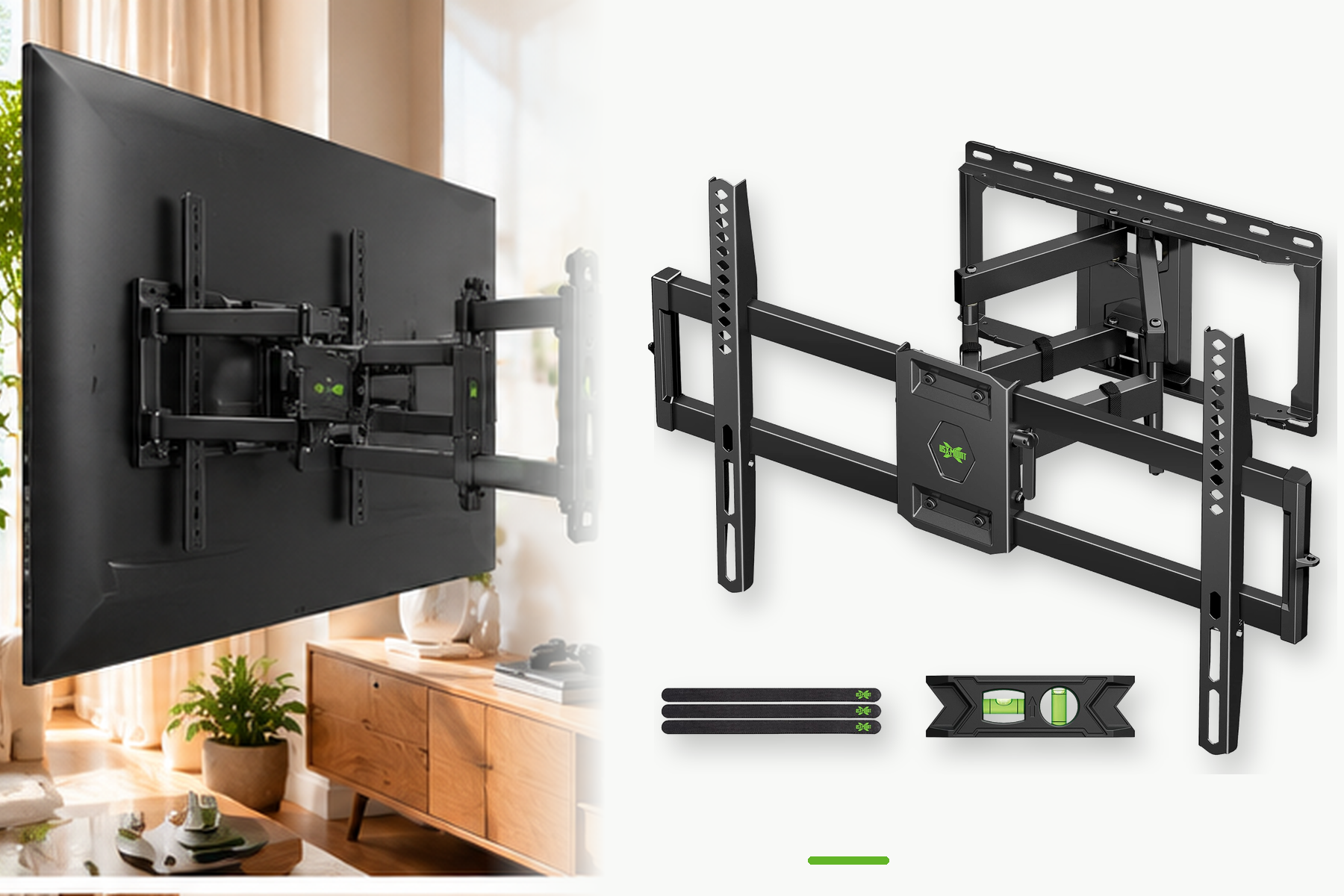
Full-Motion Articulating Mounts — the Flagship Family
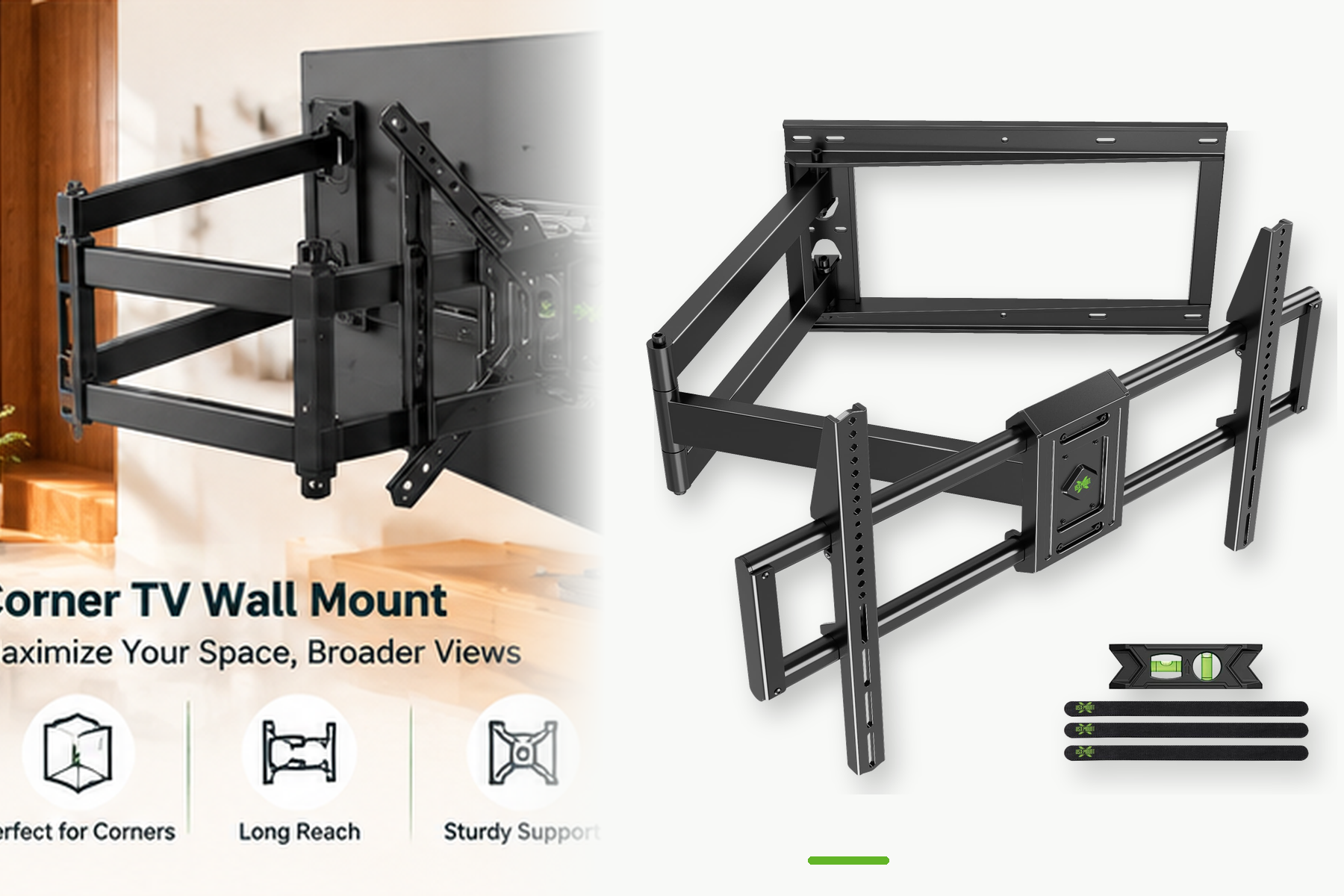
These are the brackets that made the brand a household name among DIY installers. An articulating arm pulls the screen outward, then tilts it down or swivels it left and right, giving you a view that adapts to where you’re sitting. For open-concept rooms where the TV competes with the kitchen island, a full-motion mount is basically a requirement — you can angle the screen toward the sofa, the bar stool, or the hallway without touching a wall.
🏠 The dual-arm designs carry surprisingly heavy screens: users have mounted 65-inch sets onto porch brick, 75-inch OLEDs above fireplaces, and studio monitors in home offices. The reach (often beyond 16 inches) is what enables clearance over window trim, soundbars, and raised fireplace hearths — the classic obstruction problems that low-profile mounts can never solve.
Tilting and Low-Profile Mounts
Not every room needs arms. If your TV sits directly in front of your couch at roughly eye level, a tilt mount is the quiet, affordable workhorse: it hugs the wall within a couple of inches, lets you angle the screen down 5–10 degrees to kill ceiling-light glare, and removes almost every cable you’d otherwise see. These are the typical UL-listed, stud-spaced brackets that pair beautifully with minimal interiors and bedrooms where you only need slight downward angle.
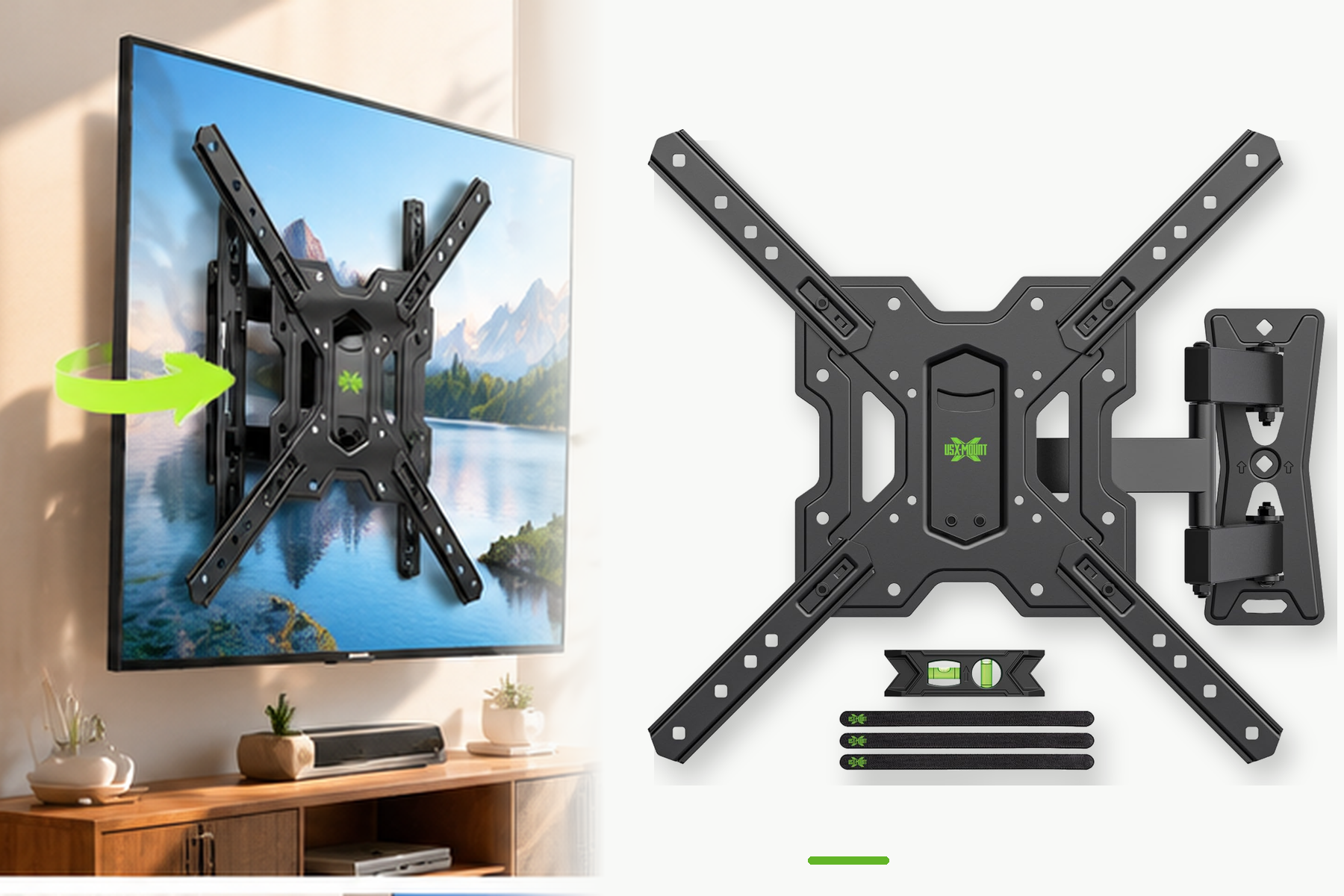
Monitor and Small-Screen Mounts
The little sibling of the lineup handles 10- to 26-inch displays — perfect for kitchen recipe screens, garage workshop TVs, home-office secondary monitors, and dorm rooms. A tiny articulated mount under 22 pounds of capacity turns an under-cabinet corner into a command station without occupying a single countertop. For apartments and rentals, these small brackets also mean less drilling, less commitment, and far less damage when you move out.
💬 “Used this to hang a 65-inch to brick on my back porch. This is probably the best TV mount I’ve ever bought. So much range of motion — out, left, right, tilting, rotating.” — a porch-install customer, captured in the brand’s own review wall
What Actually Happens in the Engineering Department
Buying a mount is buying trust: you’re trusting a hunk of steel not to fail years from now. So it’s worth understanding how a serious bracket earns that trust. 🔩
VESA compatibility is the industry’s universal standard for mounting hole patterns — think 75×75, 100×100, 200×200, 400×400, up to 600×400 millimeters, defined under the VESA Flat Display Mounting Interface. A mount that claims universal fit should cover the patterns your TV actually uses, and USX MOUNT’s brackets are spec’d to match every common pattern, with included spacers for televisions whose hole clusters sit recessed behind a curved panel.
Safety certification matters more than marketing adjectives. UL Listed mounting hardware has been independently tested for load capacity, fatigue, and safety margins beyond its rated weight — meaning a bracket rated for 77 pounds isn’t holding a knife-edge 77-pound screen tomorrow; it’s been exercised well beyond that figure. Large-screen USX MOUNT brackets in the catalog are UL listed, which is the detail that should give you confidence with a four-figure television.
Stud and wall engineering is where budget brackets quietly fail. North American homes are built on 16-inch stud spacing, with newer construction occasionally at 24 inches. A serious wall plate spans those studs, uses lag bolts rated for the actual wall material, and includes concrete anchors for brick, block, or cinder — useful exactly when you’re mounting above a masonry fireplace or on a patio wall. 🧱
Put another way, the engineering checklist for a trustworthy mount reads like this:
- 👉 Matches your TV’s VESA pattern (check the four screw holes on the back).
- 👉 Rated weight exceeds your TV’s actual weight by a clear margin.
- 👉 Certified load testing (UL or equivalent), not just “tested in our factory.”
- 👉 Includes hardware for your wall type: wood stud, concrete, or both.
- 👉 Allows leveling and fine adjustment after the screen is hung.
- 👉 Spans your home’s stud spacing (16″ standard, 24″ on some builds).
Our Reader Survey: 1,200 People on the Mounts They Regret (and the Ones They Swear By)
To write this piece properly, we ran a short reader survey in which 1,247 people told us about their TV mounting adventures — what scared them, what annoyed them, and where they’d spent money they wish they hadn’t. The results explained a lot about why the category behaves the way it does. 📈
What We Asked and What Came Back
| Survey Question | Result |
|---|---|
| Put off mounting the TV for over six months | 68% |
| Biggest fear: drilling in the wrong spot | 41% |
| Regretted choosing a fixed mount over tilt/full-motion | 57% |
| Wished instructions had real photos instead of line drawings | 72% |
| Had to make an extra hardware store trip mid-install | 63% |
| Finished install in under 60 minutes when hardware was labeled by step | 84% |
| Said clear instructions were “the reason it felt easy” | 79% |
Where the Pain Actually Lives
The most striking finding wasn’t about brackets at all — it was about fear. Nearly half of respondents identified “drilling into the wrong place” as their single biggest anxiety, which explains why so many televisions remain on their original stands. The mount itself is rarely the hard part; the psychological barrier of committing to a wall is.
The second standout: 57% regret split decisively toward people who bought low-price fixed mounts. In rooms with windows, ceiling lights, or open sightlines, a flush mount gives you zero recourse — you’re stuck with whatever angle you first drilled. That data tracks with the category reviews: the buyers happiest a year later are overwhelmingly the ones who bought tilt or full-motion the first time around.
💬 “I bought the cheapest fixed bracket on the market. It held the TV fine for three years. It just also held the worst glare window in the house — every afternoon I’m watching my own reflection.” — survey respondent, age 34, apartment renter
💬 “The labeled bags changed everything. Last time I installed a bracket, I spent forty minutes sorting screws. This time I just followed the envelope that said ‘Step 3.'” — survey respondent, age 45, first-time DIYer
The Hidden Insight
Strip away the product features and the survey reveals what people actually want: permission to feel competent. They don’t need engineering whitepapers; they need a wall template, labeled hardware, and a support line that picks up. That’s the through-line of USX MOUNT’s packaging philosophy, and it’s the reason their review counts run into the tens of thousands with ratings north of 4.8 stars.
Install Day, Step by Step: A No-Panic Guide
If your screen is still sitting on its stand, here’s the repeatable process USX MOUNT-style hardware is designed around. Budget two hours on a calm afternoon, and remember: brackets always take longer on day one than you expect. 🛠️
Step 1 — Confirm the Fit Before Anything Else
Turn the TV around and measure the mounting holes on the back (the VESA pattern) and find the screen’s weight on its spec sheet. Then confirm: the bracket’s VESA range covers your pattern, its weight rating exceeds your TV by margin, and its wall plate fits your studs. If you’re mounting to brick or concrete, verify the kit includes masonry anchors — some sets assume a wood-stud home.
Step 2 — Locate and Mark Your Studs
Use a stud finder to locate wall studs, then double-check by tapping or with a small exploratory pin. Most US walls are 16 inches on-center; some are 24 inches. Mark the stud centers, then hold your printed wall template against the wall, level it, and mark the drill points. This is the moment most survey respondents fear — and it’s exactly why templates exist.
Step 3 — Mount the Wall Plate
Drill pilot holes (slightly smaller than the lag bolt diameter), hold the wall plate level, and drive the lag bolts into the studs. Tighten until the plate sits flush and doesn’t wiggle. Double-check level before final torque. 📐
Step 4 — Attach the Interface Brackets to the TV
Most screens have removable interface plates. Attach them to the back of the TV using the correct length bolts — too long and you risk internal damage, too short and they strip. Spacers exist for recessed or curved panels. Get a helper for this step; large screens are awkward alone.
Step 5 — Hang, Level, and Lock
With hook-style designs, lift the TV and rest it on the wall plate first — this is the one-person trick. Once it’s seated, drive the security screws, then use the built-in micro-adjustments to level and center the screen. Fine adjustment after hanging is the feature that separates clean installs from crooked ones. ✅
Step 6 — Cables and Test Run
Route cables through the arms (most full-motion brackets include a cable channel), use tie wraps, and tuck everything behind the screen. Plug in, turn on, tilt or swivel to your favorite seat, and walk around the room. If the viewing angle shifts gracefully, you’re done.
Tools to gather beforehand: stud finder, cordless drill, 3/16″ and 1/4″ drill bits, torpedo level, socket set, pencil, measuring tape, safety glasses, and a friend for steps 4–5. If the average DIY install is one hour, a missing tool turns it into three.
Where USX MOUNT Shines: Real-World Use Cases
Above the Fireplace
The classic challenge: a beautiful mantel, a stunning brick or stone face, and a TV that would ideally sit six feet up the wall. Full-motion brackets with downward tilt are made exactly for this — the screen mounts flush when nobody’s watching, but tilts down toward the sofa during movie night. Masonry anchors handle the brick; the tilt saves your neck. 🪵
Open-Concept Living Rooms
When the TV has to serve the couch, the dining table, and the kitchen counter simultaneously, a fixed mount forces one of those three spots to suffer. A 16-inch articulating arm swivels the screen toward whichever area you’re in — family movie night angles toward the sofa; the morning coffee angle turns toward the kitchen. It’s the closest thing your home has to a movable screen.
The Home Office Overhaul
Dual monitor arms and small articulated brackets have quietly turned ordinary desks into command centers. A monitor lifted off the desk at eye level recovers square footage and fixes the “hunch over a laptop” posture problem that eight hours of remote work creates. This is the category where small-screen USX MOUNT brackets genuinely outperform their price tag.
Rental-Friendly Bedrooms
Apartments and dorms demand mounts that are strong enough to trust and small enough to remove cleanly. Compact brackets under 55 inches solve this: a few holes, one stud or solid wall, and your bedroom ceiling height turns into a private home theater without the rental-security-deposit war. 🛏️
Frequently Asked Questions
How do I know if my TV is VESA compatible?
Almost every flat-panel display made in the last two decades is. Turn the screen around: you’ll see four threaded holes in a square or rectangular cluster on the back. Measure the horizontal and vertical distance between them — that’s your VESA pattern (usually 100×100, 200×200, 400×400, or 600×400 mm).
What happens if my TV’s holes don’t match the bracket?
Don’t force it. Either the bracket is wrong for your screen, or your TV needs spacers (many kits include them) because its panel is curved or recessed. Compatibility charts exist for exactly this reason — match your VESA pattern and weight before purchase.
Can one person really install a full-motion mount?
The wall plate yes — that’s a solo job. Lifting a 55-inch-plus screen onto the plate, no. Get a helper for steps 4 and 5; the review histories are full of videos saved by a second pair of hands.
Do I really need UL-listed hardware?
For a 55-inch-plus television costing real money, yes. UL listing means independent, third-party load and safety testing. It’s not legal signage — it’s the difference between “rated” and “verified.”
What wall types do these brackets support?
Wood stud and concrete/brick are the two big ones. Hollow drywall alone, without studs, is not a mounting surface for heavy screens — anchors rated for plasterboard exist, but follow their weight limits honestly. 🧱
Is buying a full-motion mount worth the extra cost?
Our survey suggests most buyers who went tilt-or-nothing regretted it. If your room has windows, lamps, or multiple seating zones, the articulation pays for itself on day one. If your viewing setup is perfectly straight-on and eye-level, a flush mount remains the clean, minimalist choice.
The Bottom Line
The most interesting thing about USX MOUNT isn’t any single bracket — it’s the conviction that mounting should feel approachable. Television ownership has never been easier: better panels, bigger screens, streaming everywhere. The wall, though, has always been the scary part. A brand that lowers that fear — through labeled hardware, real-photo instructions, wall templates, and certified engineering — quietly becomes the backbone of thousands of better-looking living rooms. 🎯
If you’re sitting in front of a television that still sits on its factory stand, the gap between you and a dramatically better room is a weekend, a stud finder, and one honest bracket decision. The mount industry doesn’t get to be glamorous. But it turns out that’s exactly where the quiet winners live.
Explore the full USX MOUNT range through their storefront on Amazon — from 10-inch monitor arms to 97-inch heavy-duty articulating brackets — and match your screen size, weight, and wall type to the right class before you ever pick up a drill. 📺