It starts small. A tiny amber light on the dash, glowing quietly on your commute home. For millions of drivers, that little check engine light is the start of a guessing game: ignore it and risk a repair snowball, visit a shop and pay a diagnostic fee for a problem that might be trivial, or buy a cheap gadget that spits out a code you can’t interpret. BlueDriver exists to break that cycle. As a Bluetooth-connected OBD2 scanner paired with a smartphone app, BlueDriver puts dealer-grade diagnostics, repair guidance, and live vehicle data in your pocket — no subscriptions, no monthly fees, and no specialized training required. This guide walks through what the brand actually makes, how it works in everyday life, and why it has become the default recommendation for DIYers, used-car buyers, and independent shop owners alike.
The Problem BlueDriver Was Built to Solve
Modern cars are rolling computers. Every system — engine, transmission, antilock brakes, airbags, tire pressure sensors — talks to the dashboard through a network called OBD-II (On-Board Diagnostics, second generation), which became standard on virtually all U.S. passenger vehicles after 1996. When something misbehaves, the car stores a trouble code and usually lights up the dash to let you know.
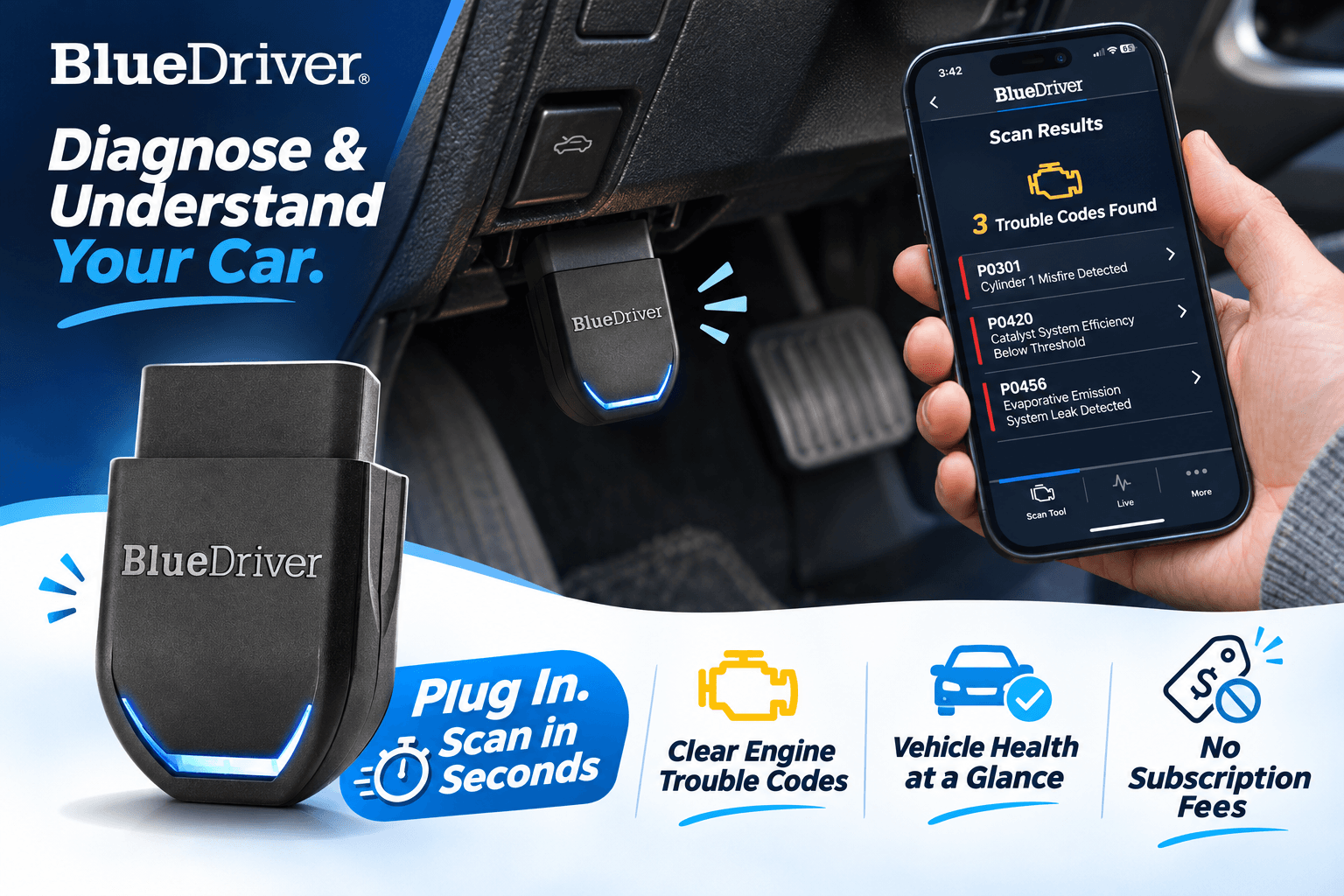
What the system was never designed to do is explain itself. A code like P0420 tells you “catalyst system efficiency below threshold,” which, for most people, might as well be a riddle. Is it a failing catalytic converter? A bad oxygen sensor? An exhaust leak? Until recently, your options were:
- Pay a dealership or independent shop a diagnostic fee just to find out.
- Buy a $20 code reader that shows only generic emissions codes.
- Buy a $500+ handheld professional scan tool with a steep learning curve.
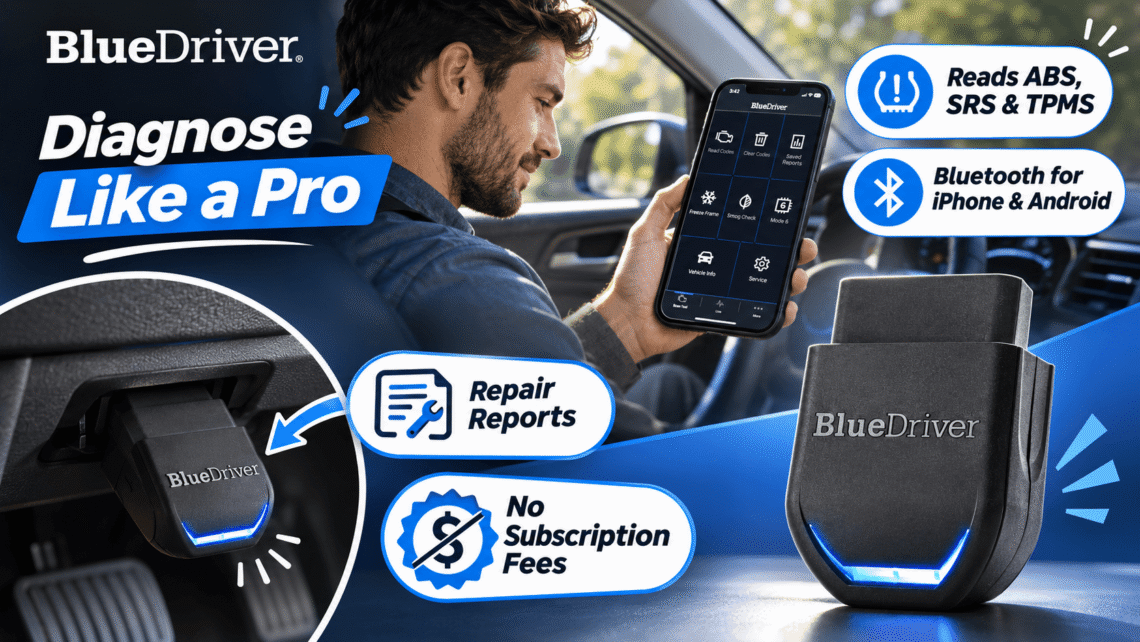
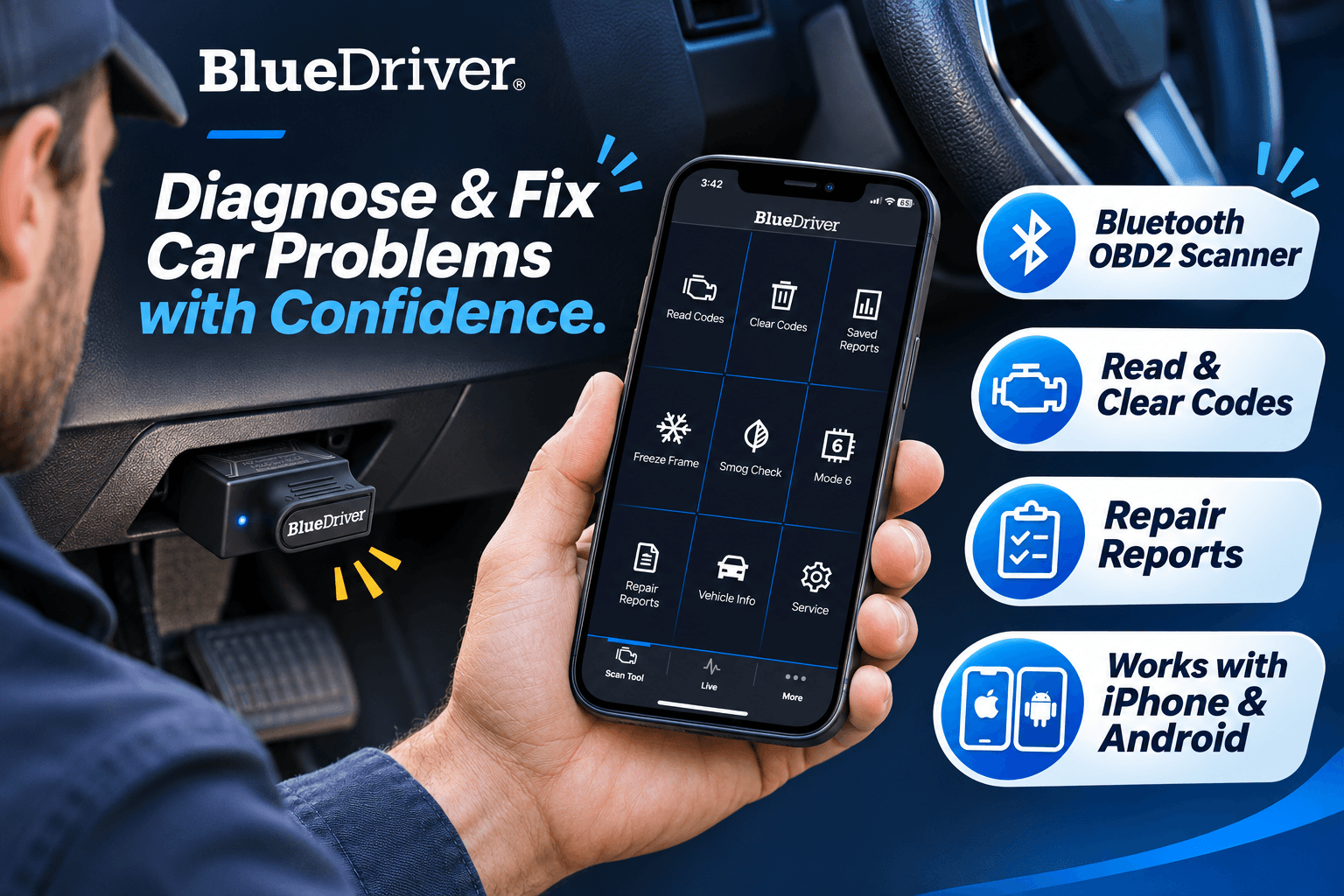
BlueDriver occupies the space between those extremes. The hardware is a small dongle that plugs into the OBD2 port under your dashboard. The software is the app running on your iPhone or Android. Together, they turn the phone you already carry into a capable diagnostic instrument — one that not only reads the code, but also tells you what it means, how serious it is, and what repair typically fixes it on vehicles like yours.
💬 Callout: Why “no subscription” matters here.
A growing number of scan tools now lock features behind recurring app fees. BlueDriver takes the opposite approach: the device and the app’s core features are a one-time purchase, including the vehicle-specific repair reports. That single decision is a big part of why the brand dominates user-review standings among Bluetooth OBD2 scanners — you stop paying the moment you stop worrying.
Meet the BlueDriver Lineup
BlueDriver’s catalog is deliberately focused rather than sprawling. That focus is part of the brand’s identity: they would rather make one excellent scanner than fifteen mediocre ones. The current flagship is the BlueDriver Pro Bluetooth scan tool, the device most people mean when they recommend the brand.
| Model | Best For | Diagnostics Depth | Connection | Platforms |
|---|---|---|---|---|
| BlueDriver Pro (flagship Bluetooth scan tool) | Everyday DIYers, commuters, used-car shoppers | Emissions codes plus enhanced ABS, SRS airbag, and TPMS systems on supported vehicles | Classic Bluetooth (no Wi-Fi pairing conflicts) | iOS and Android |
| BlueDriver companion app | Everyone who owns the hardware | Live data graphs, vehicle reports, repair guidance | Free download | iOS and Android |
| BlueDriver Pro (Next Generation) | Users wanting the latest hardware revision | Same core code-reading and reporting capabilities, refined hardware | Low-energy Bluetooth | iOS and Android |
Two things are worth noting about this table. First, BlueDriver’s hardware and software are sold as a matched pair — unlike some adapters that play nice with any third-party app, the BlueDriver app is where the brand’s real intelligence lives. Second, the “enhanced” diagnostics row is where it separates itself from cheap readers. Most low-cost OBD2 scanners only read the generic powertrain codes behind the check engine light. BlueDriver additionally reads antilock brake, supplemental restraint (airbag), and tire-pressure system codes on vehicles that expose those systems over OBD-II — which means you can catch a failing ABS sensor or an airbag fault before a mechanic “discovers” it for you at an inspection.
How the BlueDriver Ecosystem Actually Works
The experience is deliberately low-friction. Here is the typical first session:
- Find the port. The OBD-II connector is a trapezoidal 16-pin port, usually located under the steering-column area, above the pedals, sometimes hidden behind a plastic cover.
- Plug in the dongle. It fits one way — there’s no orientation puzzle.
- Start the car (or at least turn the ignition to accessory power).
- Open the app and pair. The app finds the dongle over Bluetooth, confirms the connection, and reads the vehicle’s VIN automatically.
- Read or clear codes. If a light is on, the code appears within seconds, paired with a plain-language description.
That last step deserves more attention, because it’s where most tools stop and BlueDriver continues.
The Feature That Sets the Brand Apart: Repair Reports
Any competent scanner can pull a trouble code. Interpreting it is where value lives — and where BlueDriver’s Repair Reports feature does the heavy lifting.
Here’s the idea in plain terms: the app maintains a database of verified repairs, organized by code and by your specific year, make, model, and engine. When you pull a code, the app doesn’t just show you a generic definition. It shows what the problem usually means, how urgent it is, what components are typically involved, and — most usefully — what repair has actually resolved the same code on vehicles like yours in the field.
Think of it as crowd wisdom from real technician work, packaged per code. This changes the economics of a dash light completely:
- Before BlueDriver, a P0301 (cylinder 1 misfire) might mean “replace all coils and spark plugs, probably ~$800.”
- With BlueDriver, you might learn that for your exact engine, this code most commonly traces to one specific ignition coil, and parts stores sell that coil for a fraction of the shop estimate.
This is the feature reviewers repeatedly single out as BlueDriver’s killer advantage — and the one that no generic third-party app can replicate, because it requires a maintained, vehicle-matched repair database.
💬 Callout: A realistic expectation.
Repair reports guide your thinking; they don’t magically guarantee a fix. Cars vary, wires corrode, and intermittent problems can need a second look. Treat the report as an experienced mentor whispering the likely cause — then verify with live data before buying parts.
A Day-in-the-Life Scene: What It Looks Like in Practice
To make this concrete, picture a normal Tuesday evening.
You’re driving home from the grocery store when the check engine light flickers on. The car feels fine, but the light nags at you. Normally, the next steps would be anxiety, a phone call to the shop, and an appointment three days out.
With BlueDriver, the sequence looks more like this:
You: Okay, what’s going on here?
App (after a few seconds): P0171 — System Too Lean (Bank 1). Confirmed fix on your year/make/model: mass airflow sensor cleaning or replacement, per verified repair reports.
You: A lean condition. Not an immediate shutdown risk, but worth addressing — running lean can overheat things over time.
App: (Live data screen) Short-term fuel trim Bank 1: +28%. Long-term: +19%. MAF airflow: 3.1 g/s at idle.
You: Fuel trims are way off and MAF reads low at idle. That lines up with a dirty MAF sensor. Clean it first, watch the trims normalize, then clear the code and drive.
Forty minutes later, the light is gone and the fuel trims look reasonable. The shop appointment never had to happen. That’s the brand’s whole pitch in miniature: turn an ambiguous warning light into a decision you can make yourself.
Live Data: Watching the Car Think
Beyond codes, BlueDriver streams live data from the engine’s sensors in real time: RPM, vehicle speed, coolant temperature, intake air temperature, manifold pressure, oxygen-sensor voltages, short- and long-term fuel trims, ignition timing, and more. You can graph multiple parameters together on the app screen, log them, and revisit them later.
Practical uses include:
- Verifying a repair actually worked. Clear the code after fixing something, then watch fuel trims, sensor voltages, or temperatures to confirm the system settled back into its normal range.
- Diagnosing intermittent issues. A code that only sets when the engine is cold, or at highway speed, becomes trackable — log the drive and review which parameter spiked.
- Pre-purchase inspection habits. Before buying a used car, scan for stored and pending codes, check readiness monitors, and clear historical faults so the seller’s “no problems” claim is tested, not trusted.
For a vehicle, live data is the equivalent of vitals for a person. The code tells you something is wrong; the data tells you how it’s wrong.
Who Actually Uses BlueDriver (And Why They Stick With It)
The brand’s user base is broader than the “weekend mechanic” stereotype. Typical profiles include:
- The commuter who hates surprise bills. Someone with a paid-off daily driver who wants to know whether a dash light is “fix it this week” or “fix it eventually.”
- The used-car shopper. Before signing paperwork, they plug in, pull pending and permanent codes, and check whether emissions readiness monitors were recently reset — a common trick when a car has been “cleared” to pass inspection.
- The small fleet owner. A contractor with two work trucks, a delivery driver, or a rideshare operator who needs to triage vehicle complaints over the phone instead of guessing.
- The gearhead with a project car. Someone who already owns a pro-level tool but keeps BlueDriver in the glovebox for quick checks on family vehicles.
- The budget-conscious parent. A spouse or teenager’s car throws a light, and the family wants a data-based answer before anyone calls a shop.
What unites these users is a shared trait: they want agency over their vehicle’s health, without paying for professional equipment or professional labor.
BlueDriver vs. the Alternatives
Understanding where BlueDriver fits requires a quick comparison with the three common alternatives.
vs. Cheap $20 Code Readers
Those devices read generic powertrain codes — often only in plain text — and clear the check engine light. They cannot see ABS, airbag, or TPMS systems. They show no live data, no repair guidance, and no graphing. They’re fine as a panic button. BlueDriver is a diagnostic instrument.
vs. Mid-Range Handheld Scanners
Handheld units in the $150–$400 range do read enhanced systems, but they’re dedicated devices: a single-use gadget that sits in a drawer, with a tiny screen and buttons that feel stuck in 2009. BlueDriver uses your phone’s much better screen, keeps improving through app updates, and costs less than most handhelds — because you’re not paying for a separate display.
vs. Subscription-Based Phone Apps
Several newer scanner brands offer similar phone-connected hardware but gate repair data, advanced graphs, or feature updates behind monthly or yearly subscriptions. Over five years, those add up to multiples of the hardware price. BlueDriver’s one-time-purchase model is a deliberate contrast.
💬 Callout: The bottom line on value.
A single avoided shop diagnostic visit — typically the price of one BlueDriver device — justifies the purchase. Everything after that is upside.
Setting Up a Maintenance Routine With BlueDriver
A scanner is most valuable when it’s not reactive. Owners who get the most from it tend to build small habits:
- Scan at every oil change. A two-minute plug-in catches stored or pending codes before they escalate.
- Clear and recheck after repairs. Always confirm the repair report’s predicted fix actually resolved the live data.
- Keep a log. Use the app’s logging to track fuel trims or temperature trends seasonally — gradual changes are often early warnings.
- Before every long road trip. Verify no pending codes, that readiness monitors are set, and temperatures behave normally.
- Before selling or trading in. Know what the next owner’s scanner will find, so the negotiation isn’t one-sided.
Scenarios Where BlueDriver Earns Its Keep
Abstract features become obvious in concrete moments. Consider a few realistic cases:
- The inspections-are-coming scenario. If your state requires an emissions test, the readiness monitors must be “ready.” BlueDriver shows monitor status directly — so you know whether you can pass before driving across town to the inspection station.
- The “I just bought this and the light came back” scenario. A shop cleared a light but didn’t fix the underlying issue. Your BlueDriver scan shows the same code returning, which is leverage for a follow-up conversation with the shop.
- The new-parent scenario. A family member’s older minivan throws an ABS light on a road trip. You read the code remotely-ish — identify which wheel sensor is implicated — and decide whether it’s safe to keep driving or worth a stop.
- The project-car scenario. You’re tuning or modifying an engine, and you want to watch wide-band fuel trims and sensor response in real time instead of guessing by ear.
Addressing the Realistic Limits
An honest guide deserves an honest section about what BlueDriver is not:
- It is not a dealership tool for deep module coding, key programming, or advanced bi-directional control on luxury vehicles.
- Enhanced coverage (ABS, SRS, TPMS) depends on the vehicle’s manufacturer exposing those systems over OBD-II — coverage is strongest on major mainstream brands and varies by model year.
- It cannot physically repair anything. It tells you what’s wrong; you still decide whether to fix it yourself, with a mechanic, or trade the car.
- Intermittent electrical gremlins may need multiple drive cycles and logged data before they reveal themselves.
Recognizing these boundaries is part of using the tool well. It’s a diagnostic and decision-support instrument, not a replacement for a technician’s hands — but it’s an exceptionally good one for the price class.
Frequently Asked Questions
Do I need a subscription to use BlueDriver?
No. The scanner and the companion app work together as a one-time purchase, including repair reports and live data.
Will it work on my car?
Virtually any gasoline-powered passenger vehicle sold in the U.S. since 1996 is OBD-II compliant. The app works on iPhone and Android devices.
Can it delete the check engine light?
Yes — once the underlying problem is addressed (or if a repair is verified), the app clears codes and turns off the light. Note that clearing codes also resets readiness monitors, which matters for emissions inspections.
Is it legal to use?
Yes, OBD-II access is the same port technicians use. The tool is for your own vehicle’s diagnostics.
Do I need mechanical experience?
Not to read codes. The plain-language descriptions and repair reports make interpretation accessible; deeper repairs still require tools, parts, and comfort with the work.
Why BlueDriver Has Earned Its Reputation
Strip away the features list, and the brand’s real achievement is simpler: it restored ordinary drivers’ confidence about their own cars. Before this category existed, a dash light meant helplessness. Today, a plug, an app, and a plain-language report turn that same light into a solvable problem — often in the driveway, often in under an hour.
That’s the thread running through every part of the BlueDriver experience:
- A hardware dongle that stays out of the way and works reliably.
- An app that speaks English instead of diagnostic jargon.
- A repair-report database that turns codes into likely fixes for your vehicle.
- A no-subscription pricing model that respects the one-time nature of the purchase.
For the daily driver, the family fleet, or the first-time car buyer, BlueDriver is less a gadget and more a small but meaningful upgrade in how you relate to your vehicle — trading the anxiety of unknown problems for the calm of knowing exactly what’s going on under the hood.